A friendly reminder email nudges someone to take action without damaging the relationship. People forget things. Inboxes overflow. Deadlines slip. A well-written reminder brings your request back to the top of someone’s priority list politely and professionally.
Sending a reminder is not pushy. It is responsible communication. Whether you are chasing an overdue payment, confirming a meeting, or following up on a proposal, a gentle reminder email shows that you respect both your time and theirs. The key is striking the right tone — firm enough to prompt action, warm enough to preserve goodwill.
These 20 templates cover the most common business scenarios. Copy them, customize the details, and send them with confidence.
How to Write a Friendly Reminder Email
Keep the Structure Simple
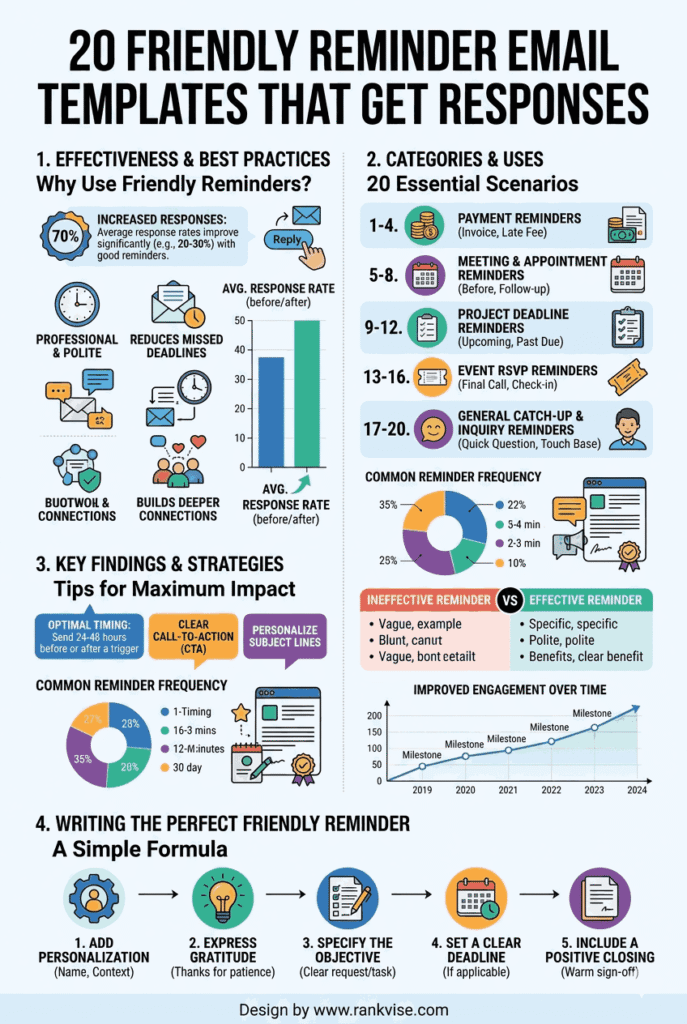
Every effective reminder email follows a predictable structure. Readers should understand the purpose within five seconds of opening it. Use this framework for every polite reminder email you write.
- Subject line – clear, specific, and non-aggressive
- Greeting – warm and professional
- Context – briefly reference the original request or agreement
- The ask – state exactly what you need and by when
- Closing – express appreciation and offer to help if needed
This structure works because it eliminates confusion. The recipient immediately knows why you are writing and what action you expect. Avoid burying your request in long paragraphs. Place it front and center after a brief context sentence.
Tone Tips for Professional Reminder Emails
Tone makes or breaks a reminder email. Too formal and it feels cold. Too casual and it loses authority. Aim for a tone that sounds like a helpful colleague, not a collections agent.
- Use phrases like “just checking in” or “wanted to follow up” to soften the message
- Avoid blame language like “you failed to” or “you still haven’t”
- Assume positive intent — the person likely forgot, not ignored you deliberately
- End with gratitude regardless of how many reminders you have already sent
20 Friendly Reminder Email Templates for Every Situation
Payment Reminder Emails
1. First Payment Reminder (Before Due Date)
Subject: Upcoming payment due on [date]
Hi [Name], this is a quick reminder that invoice [number] for [amount] is due on [date]. Please let me know if you have any questions about the invoice. I have attached it again for your convenience. Thank you for your prompt attention.
2. Payment Due Today
Subject: Invoice [number] due today
Hi [Name], just a friendly reminder that payment for invoice [number] is due today. The total amount is [amount]. If you have already processed the payment, please disregard this message. Feel free to reach out if you need anything from my end.
3. Overdue Payment – First Follow-Up
Subject: Following up on invoice [number]
Hi [Name], I hope you are doing well. I wanted to follow up on invoice [number] for [amount], which was due on [date]. I understand things get busy, so I have reattached the invoice for easy reference. Could you share an expected payment date when you get a chance?
4. Overdue Payment – Second Follow-Up
Subject: Gentle reminder – invoice [number] now [X] days overdue
Hi [Name], I am circling back regarding invoice [number] for [amount]. The payment is now [X] days past due. I want to make sure there are no issues on your end. Please let me know if there is anything I can help resolve so we can get this settled. I appreciate your attention to this.
Meeting and Appointment Reminder Emails
5. Meeting Confirmation – One Day Before
Subject: Confirming our meeting tomorrow at [time]
Hi [Name], just confirming our meeting scheduled for tomorrow, [date], at [time] via [platform/location]. Here is the agenda we discussed: [brief agenda]. Please let me know if the time still works for you. Looking forward to our conversation.
6. Meeting Reminder – Same Day
Subject: Looking forward to our call today at [time]
Hi [Name], a quick reminder about our meeting today at [time]. I will send the [Zoom/Teams] link shortly before we connect. If anything has changed on your end, just let me know. See you soon.
7. Rescheduled Meeting Confirmation
Subject: Updated meeting time – [new date and time]
Hi [Name], following our earlier conversation, I have rescheduled our meeting to [new date] at [new time]. The location remains [platform/place]. Please confirm this works for your schedule. I appreciate your flexibility.
Deadline Reminder Emails
8. Project Deadline Approaching
Subject: Reminder – [deliverable] due on [date]
Hi [Name], this is a friendly reminder that [deliverable] is due on [date]. If you are on track, no response needed. If you anticipate any delays, please let me know as soon as possible so we can adjust the timeline together. Thanks for keeping this moving forward.
9. Document Submission Reminder
Subject: Quick reminder – [document name] needed by [date]
Hi [Name], I wanted to follow up on the [document name] we discussed. We need it by [date] to stay on schedule for [project/process]. Please let me know if you have any questions about what is needed. Happy to help if anything is unclear.
10. Internal Team Deadline Reminder
Subject: Friendly nudge – [task] due this [day]
Hi team, just a quick reminder that [task or deliverable] is due by [day and time]. Please upload your submissions to [shared folder/tool]. If you are running into any roadblocks, reach out and we will figure it out together. Appreciate everyone’s effort on this.
Follow-Up Reminder Emails
11. Follow-Up After a Proposal
Subject: Following up on the proposal sent on [date]
Hi [Name], I wanted to check in regarding the proposal I sent on [date]. I hope you have had a chance to review it. I would love to answer any questions or walk through the details whenever it is convenient for you. Just let me know a good time to connect.
12. Follow-Up After a Job Interview
Subject: Following up on our interview – [position title]
Hi [Name], thank you again for the opportunity to interview for the [position] role on [date]. I enjoyed learning about the team and the projects ahead. I am very interested in the position and wanted to check if there are any updates on the hiring timeline.
13. Follow-Up After No Response
Subject: Just checking in – [original topic]
Hi [Name], I wanted to circle back on my previous email about [topic]. I understand schedules get hectic, so no pressure at all. If this is still on your radar, I would appreciate a quick update when you get a moment. Happy to adjust the timeline if needed.
14. Follow-Up on a Referral or Introduction
Subject: Following up – [mutual contact] connected us
Hi [Name], [mutual contact] kindly introduced us last week regarding [topic]. I wanted to follow up and see if you had a chance to review my initial message. I would love to schedule a brief call at your convenience to explore how we might work together.
Event and RSVP Reminder Emails
15. Event RSVP Reminder
Subject: Have you RSVPed? [Event name] is on [date]
Hi [Name], we have not received your RSVP for [event name] happening on [date]. We would love to have you there. Please confirm your attendance by [RSVP deadline] so we can finalize the arrangements. Here is the RSVP link: [link].
16. Webinar or Workshop Reminder
Subject: You are registered – [event name] starts tomorrow
Hi [Name], this is a reminder that [event name] is happening tomorrow at [time]. Here is your access link: [link]. We recommend joining five minutes early to test your connection. Looking forward to seeing you there.
Subscription and Renewal Reminder Emails
17. Subscription Renewal Reminder
Subject: Your [product/service] subscription renews on [date]
Hi [Name], your [product/service] subscription is set to renew on [date] at [amount]. No action is needed if you would like to continue. If you want to make changes or have questions about your plan, please reach out before the renewal date. We are happy to help.
18. Free Trial Expiration Reminder
Subject: Your free trial ends in [X] days
Hi [Name], your free trial of [product] expires on [date]. We hope you have enjoyed exploring the features. To continue without interruption, you can upgrade to a paid plan here: [link]. If you have any questions about which plan suits your needs, just reply to this email.
Miscellaneous Reminder Emails
19. Feedback or Survey Request Reminder
Subject: We would love your feedback – takes 2 minutes
Hi [Name], I recently sent a short survey about your experience with [product/service]. Your feedback genuinely helps us improve. If you have two minutes, here is the link: [link]. Thank you for sharing your thoughts — it really does make a difference.
20. Contract or Agreement Signing Reminder
Subject: Quick reminder – agreement awaiting your signature
Hi [Name], I wanted to follow up on the [agreement/contract] sent on [date] via [platform]. It is still awaiting your signature. If you have any questions about the terms, I am happy to hop on a quick call to discuss. We would love to get things moving forward.
Best Practices for Sending Reminder Emails
Timing Your Reminders Strategically
When you send a reminder matters as much as what you write. Send the first gentle reminder email one to two days before a deadline. If no response arrives, follow up three to five days after the deadline passes. Space additional reminders seven to ten days apart.
Avoid sending reminders on Friday afternoons or Monday mornings. Mid-week emails between Tuesday and Thursday receive the highest open rates. Morning sends between 9 AM and 11 AM in the recipient’s time zone also perform better consistently.
Subject Lines That Get Opened
Your subject line determines whether the reminder gets read or ignored. Keep it under 50 characters when possible. Be specific about the purpose. Avoid vague lines like “Just checking in” without additional context.
| Scenario | Weak Subject Line | Strong Subject Line |
|---|---|---|
| Payment due | Reminder | Invoice 1042 due on March 15 |
| Meeting | Tomorrow | Confirming our call tomorrow at 2 PM |
| Proposal follow-up | Following up | Any thoughts on the proposal from Monday? |
| Event RSVP | RSVP needed | Save your spot – marketing summit on April 10 |
Specific subject lines set clear expectations. They also help recipients prioritize your email among dozens of competing messages.
FAQs
Start with a warm greeting, briefly reference the original request, state the action needed, and close with appreciation. Keep the tone polite and assume positive intent.
Send a maximum of three reminder emails spaced appropriately. If there is no response after three attempts, try a different communication channel like a phone call.
The best subject lines are specific and direct, such as “Following up on invoice 1042” or “Quick reminder – report due Friday.” Avoid vague or generic phrasing.
Send reminder emails between Tuesday and Thursday, ideally between 9 AM and 11 AM in the recipient’s time zone. Mid-week mornings consistently receive the highest open rates.
No, sending a polite payment reminder email is standard business practice. Most recipients appreciate the nudge. Keep the tone professional, assume the delay was unintentional, and offer to help resolve any issues.