
Modern customer support has moved well beyond email inboxes and phone queues handled manually. Customer expectations increase over time because the competition is high and different businesses offer exceptional experiences. Now clients choose brands that are prepared for faster, more convenient, and more natural ways to communicate with customers. Instead of waiting in queues or filling out forms, prospects prefer sending a quick message and getting a response in real time.
- Pick a WhatsApp support platform with shared inbox, automation, routing, CRM visibility, and analytics to manage chats efficiently.
- Set up WhatsApp Business API, assign roles, and organize inbox with tags and categories for consistent, contextual team support.
- Implement auto-replies, chatbots, and triage rules, and track CSAT, response, and resolution times to improve productivity and satisfaction.
This is where WhatsApp becomes especially useful. More than 3 billion users globally and high engagement rates make this messenger perfect for companies striving to deliver seamless customer support where customers already spend their time. With everything done right, WhatsApp can become your most effective customer support channel.
In this article, we’ll unveil how to set up WhatsApp as your primary customer support channel, including the tools, workflows, and strategies helping you grow your business efficiently.
Why customers prefer WhatsApp for Support
Customer behavior has changed a lot over the last few years. Now brands almost don’t use phones to reach their prospects but rather prefer messaging apps. Accordingly, support expectations have evolved as well.
WhatsApp is one of the most popular channels for businesses nowadays because it’s about speed, convenience, and familiarity. Users instantly notice messages and open them fast because they might wait for responses from their family and friends. Open rates are extremely high when it comes to this messaging app. This messenger creates a sense of urgency and is more suitable for real-time communication if compared to email. People can read emails within hours or even days, so it might be difficult for brands to inform about time-sensitive offers.
Another reason why customers and businesses prefer WhatsApp over other channels is its ease of use. People don’t need to log into a portal, remember passwords, or navigate complex help centers. They open an app on their phone and type a message to a specific business. Everything is fast and simple, especially when a brand has a chatbot. Customers can get their answers in seconds.
There’s also a psychological advantage. Chats feel less official and more laid-back than traditional support platforms. It results in higher engagement, seamless communication, and consequently higher satisfaction.
Moreover, when customers contact a business via WhatsApp, they don’t need to explain everything from the beginning in case they leave a chat or proceed to another agent. Everything is stored in the chat, so no one loses context. It’s much more convenient than calling an agent, explaining everything, and doing it all over again when another agent picks up the phone. This flexibility makes it far more convenient than phone support.
All of these reasons make a clear conclusion: customers choose messaging-first support, and WhatsApp is leading that shift. It’s fast, simple, and convenient for everyone. The main task for businesses is to identify the right WhatsApp customer support software to handle all those chats efficiently. Before investing in a specific platform, you need to figure out your primary goals and the features you need. We’ll help you with the second one. Let’s take a look at the key features to look for when you are searching for a WhatsApp customer support software.
Key Features to Look for in WhatsApp Support Software
When you want to use WhatsApp for customer support, it involves more processes than just setting up a business account. For this purpose, you need a special platform enabling you to seamlessly manage all the chats in one place without any confusion. This tool is a combination of features allowing smooth collaboration, automation, and visibility. Here you’ll find the main crucial features that will navigate you through choosing the right solution.
- A shared team inbox. When a platform has a shared inbox, it enables multiple agents to view and respond to incoming messages from a single dashboard. With its help, your agents always have a context so they can provide consistent experiences to your customers.
- Automation. Very often, different customers and prospects ask the same questions regarding pricing, product, delivery, or order status. The right tool with automation will help you automate these interactions using chatbots and predefined responses. This way, your team members no longer need to spend hours answering these repetitive questions and thus reduce the workload. It’s an excellent way to improve your team’s productivity and let them focus on more urgent tasks.
- Intelligent routing. When your business grows and the number of customers increases, you have a bigger message volume. That’s why it might be quite a challenge for your team to assign specific chats to specific agents. With routing rules, the platform will direct inquiries to the right agent based on factors like topic, urgency, or customer type. This is very convenient and saves a lot of time for your team.
- Internal collaboration tools. When choosing a service, make sure that your agents can leave notes, tag teammates, and coordinate responses without exposing internal communication to customers. These tools are essential because they help other team members to understand the progress of each deal and also the context. It allows different team members to handle conversations without missing consistency.
- Analytics and reporting capabilities. After communicating with customers, you need to understand what works best with your audience. For this purpose, you should have proper analytics. If you have one, you can have a look at metrics like response time, resolution time, and workload distribution. They will help you figure out what areas need improvement to get even higher customer satisfaction.
- Built-in customer satisfaction tracking. This feature is valuable for evaluating the performance of your support team and identifying problem areas. Customers can provide feedback, and pay close attention to things that do not work as expected.
Now that you know the features, it’s time to figure out how you can set up a shared team inbox. Let’s check the next section out.
How to set up a shared team inbox
As we’ve already mentioned, a shared team inbox is a must for consistent customer experience and proper teamwork. However, you need to know how to set it up right to reap all the benefits. In this section, we’ll provide you with a short and simple guide on doing it.
- Identify the right WhatsApp helpdesk tool. First of all, you need to choose a platform that suits your business purpose, budget, and requirements. SendPulse is one of the powerful services, allowing you to create WhatsApp chatbots and more. It’s a perfect combination of messaging, automation, and CRM functionality. With the right tool, your team will be able to handle conversations in one place, seamlessly route chats to agents, and create automated workflows without any previous experience necessary.
- Connect your WhatsApp Business API. This step requires you to verify your business, link your phone number, and configure your account for messaging at scale. This ensures that your business operates in compliance with WhatsApp’s rules and doesn’t violate them when communicating with customers.
- Add your support team. You should assign roles and permissions to make each team member’s responsibilities clear. You can give some of your agents with more experience or a higher position full administrative access, while others can only manage conversations with customers. It all depends on your business decisions.
- Organize your inbox. With a powerful WhatsApp customer support software, you can use tags and categories to label conversations based on topic or priority. This helps your agents a lot. They can instantly see which of the conversations are urgent and which of them can still wait. This way, you ensure that all the problems are solved at the right time and all customers are satisfied.
Now that everything is clear, let’s move to other essential factors. These are autoreply and triage workflows. Let’s review this topic in detail below.
Auto-Reply and Triage Workflows
To take advantage of WhatsApp helpdesk tool, you need to understand how it works. That’s why we’ll discuss auto-replies and triage workflows. With their help, your team will be able to handle even large volumes of messages.
Auto-replies refer to greeting messages that welcome new users and away messages delivered to customers when your support team is offline. When you provide instant acknowledgment to customers using automation, you can improve customer experience fast.
More advanced chatbot workflows help you take care of requests related to order tracking, appointment scheduling, and frequently asked questions. Chatbots can become your perfect assistant for handling repetitive questions and let your team prioritize more important tasks.
Triage workflows allow you to set up rules so that specific messages go to the right teams. Let’s say when a customer sends a message related to financial issues, it instantly goes to your finance team inquiries, while customers with technical problems are assigned to the related department. It results in faster response time and prevents clients from spending too much time communicating with agents not even responsible for this area.
Now that the difference is clear, it’s time to review the next section to uncover CSAT tracking via WhatsApp. Let’s dive in.
CSAT Tracking via WhatsApp
Sometimes, when businesses incorporate WhatsApp to provide customer support, they can’t fully understand whether customers are satisfied with their experience. It often happens when companies just start with this communication channel. Yet it’s easier than expected. WhatsApp provides an effective and simple way to gather customer feedback.
When a problem is resolved, your business can send a message to your customers asking to evaluate their experience with your brand. The response rates of such surveys are higher than emails because users instantly see the message. It also takes them a couple of minutes to answer. To make it even faster, you can use quick reply buttons. It increases the chances of them rating your customer service on WhatsApp. This is the best way to keep an eye on overall service quality and identify trends.
However, this is not the only metric you should monitor. It’s also essential to pay attention to first response time and resolution time. This way, you’ll have a clear understanding of the situation and act accordingly. Being able to address issues with your customer support at the right time is crucial for ensuring a seamless customer experience and having returning customers.
Now it’s time to explore platforms that will help you bring all your goals into reality. We’ll provide you with 3 best tools in terms of budget, features, and usability. So let’s dive in.
3 WhatsApp Customer Support Software Compared
While choosing the platform, keep in mind your primary goal and features like shared team inboxes, automation and routing, CRM visibility, and official WhatsApp API access. These are a must for the proper work of your team. In this section, we’ll uncover 3 platforms that will help you manage customer support on WhatsApp.
SendPulse
SendPulse is an excellent WhatsApp customer support software that is suitable for small teams and enterprises because it doesn’t require any knowledge of code. It offers not only a chatbot builder but also CRM, automation, email, and SMS in one system. With its help, you can handle the entire customer journey from a single dashboard.
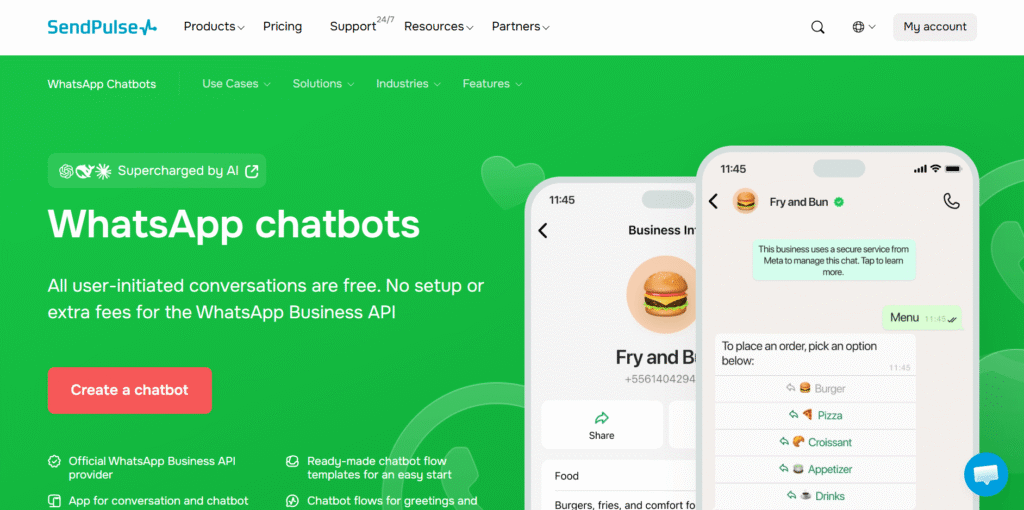
The platform offers a shared team inbox and Automation 360, enabling customer support teams to handle everything together and ensuring consistency for customers. SendPulse lets you create automatic replies, triage workflows, follow-up reminders, and CRM-based support actions using one tool.
Key features:
- shared team inbox for multiple agents;
- WhatsApp chatbot builder;
- Automation 360 workflow builder;
- built-in CRM with deal and task management;
- trigger-based auto-replies;
- omnichannel support across WhatsApp, email, SMS, and web chat.
Pricing:
- free plan: 3 chatbots, 500 subscribers, 10,000 messages, 10 variables, 10 chatbot triggers, and unlimited flows;
- paid plans: start from $9.60/month for 500 subscribers, unlimited chatbots and live chats, advanced features, unlimited messages, triggers, flows, and variables, contacts tags, teamwork tools, and accepting payments.
WATI
WATI is a platform designed for businesses that strongly rely on WhatsApp customer support. This is a perfect choice for companies searching for multi-agent collaboration, structured routing, and faster response handling.
The tool gives you access to the following features: shared inbox, automatic chat, and assignment. Its no-code chatbot builder significantly simplifies the work for support teams handling large message volumes. They don’t need any special skills to start using the platform. The software is suitable for support-first teams because it keeps the workflow simple and highly focused on WhatsApp.
Key features:
- shared inbox for support agents;
- automatic chat routing;
- no-code chatbot builder;
- broadcast and template management;
- agent assignment workflows;
- internal notes and team collaboration.
Pricing:
- free plan: a free trial available;
- paid plans: start from $39/month for 1 channel, 3 users, 15,000 broadcasts, 1,000 free automation triggers, and more.
Interakt
Interakt is a good choice for online stores that use WhatsApp for both customer support and sales conversations. The platform is created with e-commerce brands in mind, allowing them to take care of order confirmations, abandoned cart recovery, shipping updates, and customer inquiries inside one system.
Its biggest strength is the deep integration with platforms like Shopify, enabling support agents to view order details, automate transactional messages, and solve customer problems without having to combine several platforms. This is especially useful for growing e-commerce companies because customer experience is smoother, and post-purchase support is better.
Key features:
- shared team inbox;
- Shopify integration;
- order tracking and support workflows;
- abandoned cart recovery automation;
- COD verification and confirmation;
- WhatsApp catalog and sales support.
Pricing:
- free plan: a 14-day free trial;
- paid plans: start from $55/month for unlimited agents (all roles), advanced campaigns, catalogs, unlimited messages and contacts, 25 custom fields, 30 custom tags, and 5 custom events.
Quick Comparison Table
| Platform | Best for | Main Strength | Free plan | Paid plans |
| SendPulse | All-in-one support + CRM | Support + automation + CRM | 3 chatbots, 500 subscribers, 10,000 messages, 10 variables, 10 chatbot triggers, and unlimited flows | start from $9.60/month for 500 subscribers, unlimited chatbots and live chats, advanced features, unlimited messages, triggers, flows, and variables, contacts tags, teamwork tools, and accepting payments |
| WATI | WhatsApp-first support teams | Shared inbox + routing | free trial available | start from $39/month for 1 channel, 3 users, 15,000 broadcasts, and 1,000 free automation triggers |
| Interakt | E-commerce customer support | Shopify + order support | 14-day free trial | start from $55/month for unlimited agents (all roles), advanced campaigns, catalogs, unlimited messages and contacts, 25 custom fields, 30 custom tags, and 5 custom events |
Final Thoughts
In the end, when you add WhatsApp to your marketing strategy, you create an operational system your team can scale. A special platform allows your team to have clear ownership of conversations, reliable routing rules, visibility across the full customer history, and measurable performance metrics. The features like a shared inbox, automated triage, internal notes, escalation paths, and CSAT tracking are a must for fast response time, resolution, high agent productivity, and customer retention.
Once you jump into choosing WhatsApp Marketing Tools, you should understand how the tool works for daily team workflows. These details are crucial for figuring out whether it will help you make WhatsApp your primary support channel and increase the productivity of your team. If you choose the right solution, you’ll be able to reduce your team’s workload, boost consistency, and solve customers’ problems faster. For CX leaders, it helps improve customer satisfaction and ensure better operational efficiency.