Skip to content
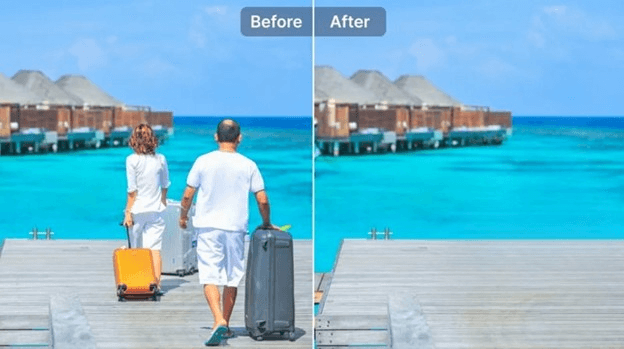
Unwanted objects can ruin an otherwise perfect photo, such as a random person in the background, a power line cutting across the sky, or a stray shadow in your product shot. Fortunately, today’s AI object remover helps eliminate any object from an image effortlessly, without complex technical skills.
Although numerous tools are available on the market to remove object from image, this guide presents the 11 best options for different platforms that deliver clean, high-quality results with ease.
Best Object Remover for Windows and Mac in 2026
When it comes to removing objects from pictures on a desktop, HitPaw FotorPea stands out as a professional yet beginner-friendly choice.
With powerful algorithms, this AI object remover intelligently detects unwanted objects, people, text, and other elements to clean up pictures without a trace. You can either select the object with the AI box or manually with a brush. It also fills the removed area in seconds with seamless background textures. This platform even offers an intuitive interface suitable for beginners, along with free previews after processing.
Main Features:
- Work on Windows, Mac, iPhone, Android, and online
- Compatible with almost all popular image formats
- Remove different objects, like blemishes and stickers
- Provide natural, high-quality results at a fast speed
- Help eliminate objects from multiple photos in a batch
How to Remove Object from Image using HitPaw FotorPea:
Step 1. Access the Object Remover
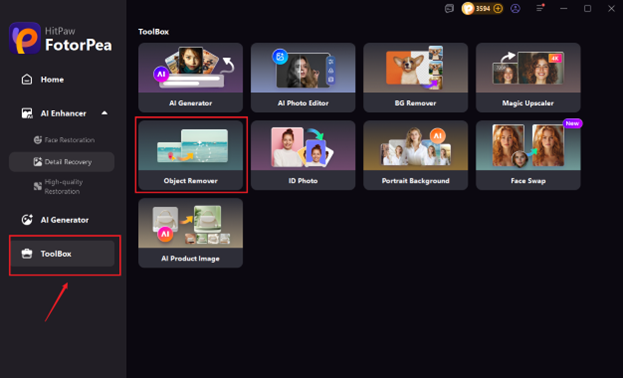
After installing and launching this software, click the “Toolbox” section. Now, choose the “Object Remover” tool and upload the required photo.
Step 2. Frame the Object
It’s time to use the “AI Selection Box” or the “Brush” tool to frame or paint all the unwanted objects.
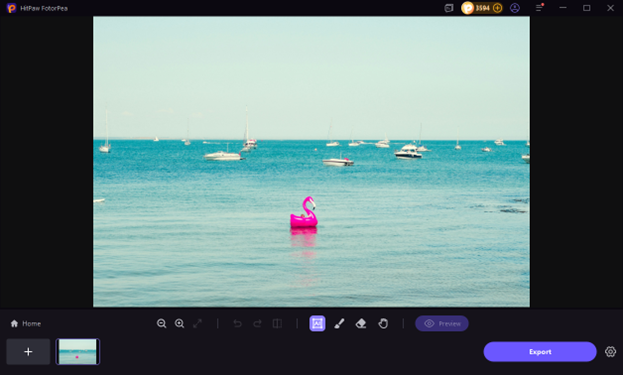
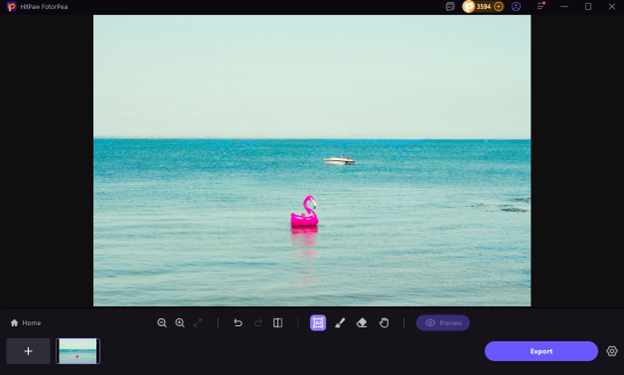
Step 3. Preview and Export
Lastly, press the “Preview” button, and if the results appear satisfactory to you, hit the “Export” tab. You are all done!
Top 5 Online Tools to Remove Object Image Easily
If you are seeking an efficient online tool to remove object from image, here are the three popular options to consider:
1. Cleanup.pictures
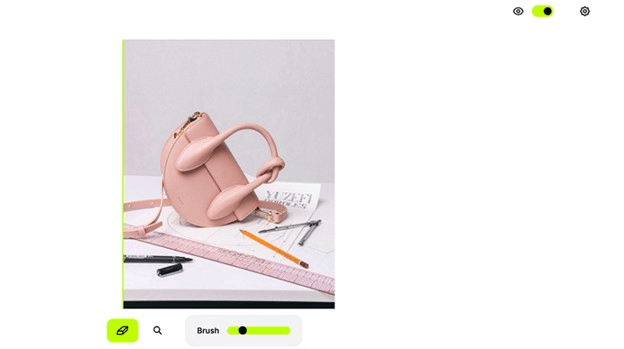
Cleanup.pictures is a powerful online AI object remover designed for instant, high-quality edits. With an intuitive interface, upload your image, brush over unwanted objects, and let AI intelligently reconstruct the background. It is ideal for photographers, marketers, and social media users who need quick, realistic clean-ups without hassle.
Pros:
- Remove text, image, defects, etc.
- Free to process unlimited images
- Seamless API integration
Cons:
- Low resolution for free users
- Processing time may be longer
2. Picsart
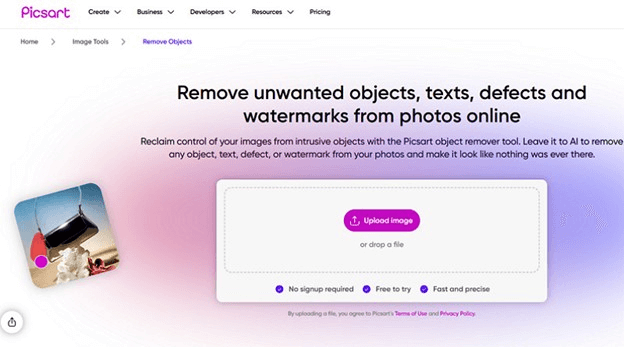
Picsart offers a complete creative suite that includes an advanced remove object image tool. With a simple brush, users can instantly erase objects, clutter, or watermarks in a few taps. Plus, AI seamlessly fills in gaps and offers high-quality downloads. It’s popular among users for its quick and precise object removal.
Pros:
- Free to try with no sign-up
- Various photo editing features
- Available as a mobile app
Cons:
- Ads can be distracting
- Advanced features require a subscription
3. BeFunky
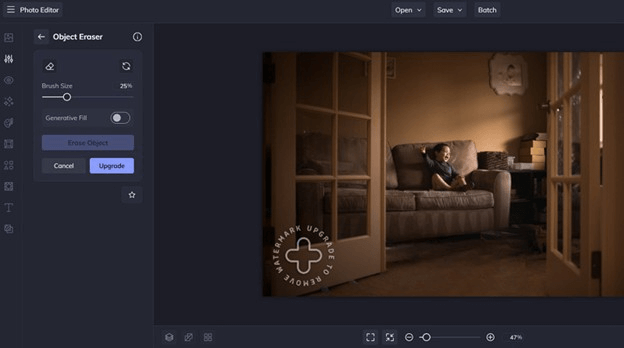
BeFunky is a fantastic photo editing platform featuring an intuitive object remover. You only need to paint over unwanted objects, clutter, or people, and the generative fill rebuilds the area seamlessly. It also includes photo retouching, filters, and templates, making it ideal for bloggers, students, and small business owners seeking high-quality visuals.
Pros:
- Remove objects in seconds
- High flexibility for precise results
- Support batch processing
Cons:
- Limited advanced features
- Watermark for the free users
4. Fotor
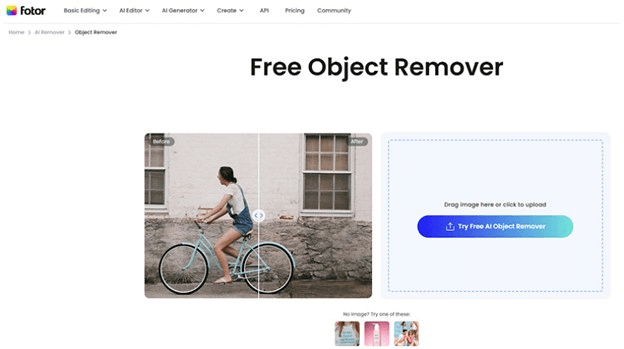
Fotor’s object remover feature lets you clean up photos in seconds for free. To create professional images, it can automatically remove people, text, watermarks, date stamps, or any other unwanted elements while maintaining the image’s coherence and aesthetics. This site offers creative flexibility through its retouching, resizing, editing, and background removal tools.
Pros:
- Easy to use with quick processing
- High accuracy with AI generative fill
- Available for Android and iOS users
Cons:
- Premium features are behind a paywall
- Leave a watermark in the free mode
5. Inpaint
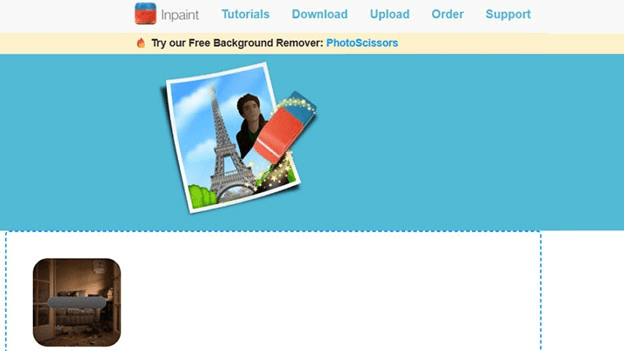
Inpaint is one of the oldest and most reliable object remover sites for cleaning up and repairing old photos. You can mark the unwanted object, and it will intelligently fill the selected area using surrounding textures. Lightweight and efficient, it’s ideal for those seeking a simple way to erase objects, people, or scratches.
Pros:
- Support JPG, PNG, and WebP formats
- Remove objects from images in a batch
- Available for Windows, Mac, and online users
Cons:
- No editing features
- Really slow processing
5 Leading Object Remover Apps for Android & iPhone
If you prefer editing on your phone, here are the best mobile apps to remove object from image, along with their pros and cons. Let’s dive into their details:
1. SnapEdit
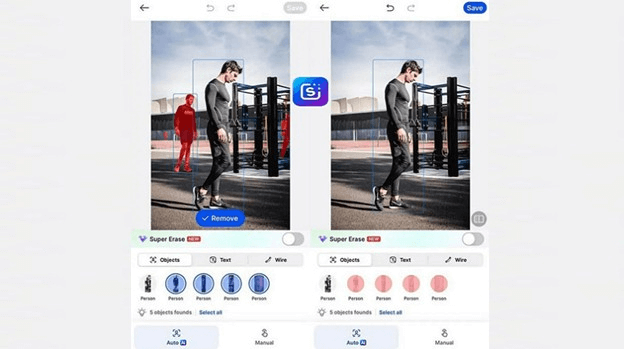
SnapEdit is an advanced AI photo editor that instantly removes unwanted objects, people, or text from photos. You can quickly upload, highlight the distraction, and let the app rebuild the scene naturally. Available for both Android and iOS, it offers editing functionalities, including filtering, cropping, adding text, removing backgrounds, and more.
Pros:
- Free and super intuitive
- AI detection technology
- Speedy processing
Cons:
- Complex edits may blur details
- In-app purchases for premium features
2. PhotoDirector
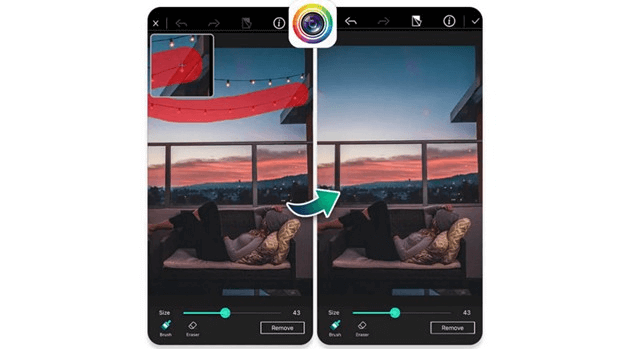
PhotoDirector is a powerful photo-editing suite that includes an AI object remover to eliminate the unnecessary elements from your photos. With its simple interface, you can also add fun animations, filters, and effects to enhance your images. Thus, you can create unique photos that are ideal for sharing on social media.
Pros:
- AI-powered functionalities
- Generate professional passport photos
- Export in ultra-HD, 4K quality
Cons:
- Limited features in the free plan
- Ads and bug issues
3. Snapseed

Snapseed, developed by Google, offers a professional set of editing tools to help adjust photo quality, including its signature “Healing” brush for removing objects. While not AI-powered, its manual touch gives you complete control when removing spots, blemishes, or small objects. It’s a favorite among photographers for adjusting details like color and exposure.
Pros:
- Completely free
- Pro-level editing tools
- High-quality pictures
Cons:
- Not suitable for modern devices
- Slow processing
4. TouchRetouch
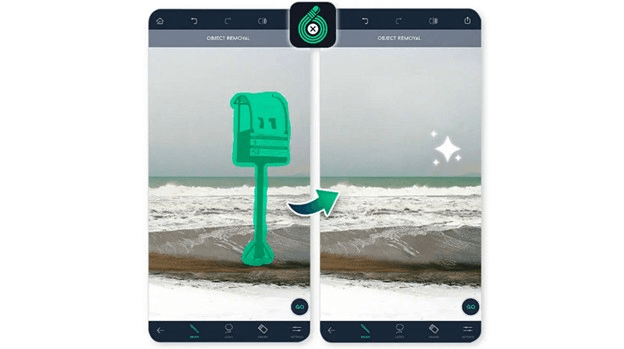
TouchRetouch is a specialized object remover app trusted by professionals and hobbyists alike. Incorporating advanced algorithms, it removes or blurs unwanted people, wires, or blemishes in seconds. It features tools such as Line Removal and Quick Repair with flexible selection tools for ultra-precise editing. It even offers tutorials to use this app effectively.
Pros:
- 360-degree photo editing
- Smart touch-ups for edges
- Studio quality results
Cons:
- The free version isn’t available
- Some tools are difficult to find
5. Photomator
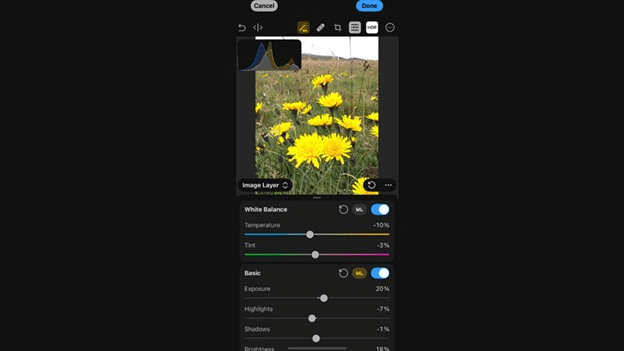
Photomator is a powerful photo editor that offers a large collection of cutting-edge color adjustments, automatic AI selections, and a magical repair tool to remove object from image and fill areas with natural textures. Incorporating advanced Apple technologies, it supports RAW editing, layers, and color correction, making it a premium choice for professional iOS users.
Pros:
- Support 750+ RAW image formats
- Help increase the image resolution
- Allow batch editing of multiple images
Cons:
- Require subscription for premium tools
- Not available for Android users
Conclusion
Removing unwanted objects from photos has become accessible to everyone. Whether you prefer desktop software, online tools, or mobile apps, this post has provided various object remover options to clean up your images effortlessly. However, if you are looking for ease of use, high-quality output, and quick processing, HitPaw FotorPea is the best tool to help remove object from image without hassle. Let’s try it today!