Most SEO teams have a long list of things to fix. Titles need work. Pages need more content. Links need building. Where do you start? Many people guess. Some pick whatever feels urgent. A better approach uses one simple idea: click-through rate by position.
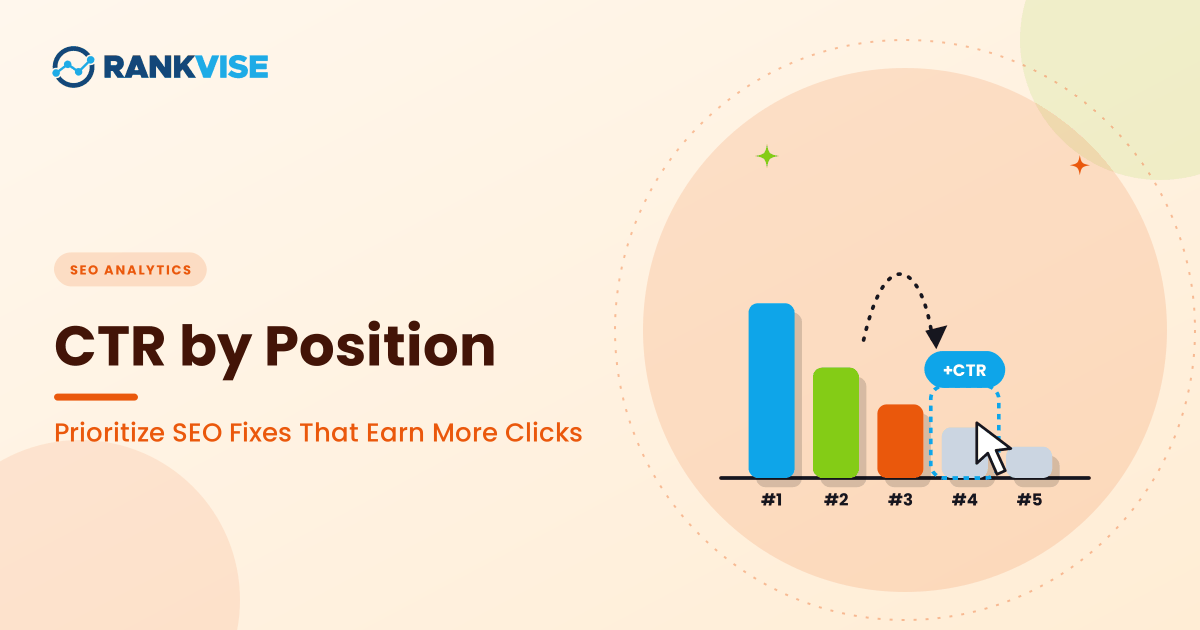
CTR by position tells you how many people click a result compared with how many people see it, based on where that result ranks. It shows you where your pages underperform. Those gaps point to the fixes that will bring the most traffic.
This guide explains how to use CTR by position to rank your SEO work. You will learn what the numbers mean, how to pull them from Google Search Console, and how to score each gap. You will also see a worked example and a monthly routine you can repeat.
What CTR by Position Means
Click-through rate, or CTR, is clicks divided by impressions. If your page appeared 1,000 times and got 50 clicks, your CTR is 5%.
Position is where your page ranks in the search results. Position 1 sits at the top. Position 10 sits near the bottom of page one. Position matters because people click the top results far more often than the lower ones.
Put the two together and you get CTR by position. For each rank, you can see a typical click rate. Then you compare your page to that typical rate. A page that falls below the benchmark for its rank has room to improve.
Estimate Realistic Click Opportunities
A low percentage can look urgent even when the potential gain is small. A page with 1,000 impressions may have the worst CTR in your report, while a page with 20,000 impressions offers more useful scope for improvement. Percentage gaps alone do not account for that difference.
Suppose Page A earns 500 clicks from 20,000 impressions, giving it a 2.5% CTR. A reasonable planning scenario for its current position and search layout might use 4%. That scenario implies 800 clicks, leaving a 300-click difference to investigate, not 300 clicks you can promise to recover.
Its tool for click through rate calculation lets you compare observed organic CTR with an editable position-based scenario. You can enter impressions and clicks from the same period, then examine how different ranking and search-layout assumptions change the estimate.
The working calculation is straightforward: modeled click difference equals impressions multiplied by the scenario CTR, minus observed clicks. You can label the result as an investigation opportunity. This keeps the model useful without treating its default curve as a measured standard for your market.
Current-position gaps and ranking gains answer different questions. If Page A’s target-position scenario uses 6%, it implies 1,200 clicks. The isolated ranking gain is 400 clicks compared with the current 800-click model; the 700-click difference from actual performance also includes the existing 300-click gap.
You can keep these figures separate when deciding between a snippet test and ranking work. Otherwise, your plan may count the same opportunity twice or attribute a combined forecast to one small edit.
Why Position Alone Misleads You
Many marketers look only at rankings. They celebrate a move from position 9 to position 6. They ignore whether anyone clicked.
Rankings and clicks do not always move together. A page at position 3 can get fewer clicks than a page at position 5. The difference often comes from the title, the snippet, or the search features above it.
Search features matter too. Featured snippets, image packs, video carousels, and AI summaries can push organic links further down the page. A page can rank well and still earn few clicks.
That is why CTR by position is more useful than position alone. It shows what your rank should earn, and what it actually earns.
Benchmarks: What a Healthy CTR Looks Like by Position
Studies give slightly different numbers, because they measure different queries, devices, and years. Use the table below as a rough guide, not a fixed rule.
| Position | Average organic CTR (reference table, 2026) |
|---|---|
| 1 | 39.8% |
| 2 | 18.7% |
| 3 | 10.2% |
| 4 | 7.2% |
| 5 | 5.1% |
| 6 | 4.4% |
| 7 | 3.0% |
| 8 | 2.1% |
| 9 | 1.9% |
| 10 | 1.6% |
Other studies show a lower top spot. One large analysis from Backlinko found position 1 averaged 27.6% CTR. It also found the top three results took 54.4% of clicks.
The gap between studies is useful. It tells you that position 1 is not guaranteed to earn 40%. Your own niche and search features will set your real numbers. Use your own data as the final benchmark.
Step 1: Pull Your Data From Search Console
Start with Google Search Console. It shows impressions, clicks, CTR, and average position for each page and query.
Open the Performance report. Filter by page, not query, to start. Export the table or copy it into a spreadsheet. You need four columns: page, impressions, clicks, and average position.
Use a date range of at least three months. Short periods can swing with seasonality or a single spike. A longer window gives steadier averages.
Ignore pages with very few impressions. Pages with fewer than 200 impressions rarely show a reliable pattern. Focus your time on pages with real visibility.
Step 2: Find the Gap for Each Page
For each page, calculate the clicks it should earn. Multiply its impressions by the benchmark CTR for its average position. Then compare that number with the clicks it actually earns.
The formula looks like this:
- Expected clicks = impressions × benchmark CTR for the page’s position
- Click gap = expected clicks − actual clicks
A positive gap means the page underperforms. A negative gap means it beats the benchmark. Sort your list by the largest positive gaps. Those pages hold the most untapped clicks.
Round the average position to the nearest whole number before you look up the benchmark. An average of 4.3 maps to position 4. Average position is itself an average, so treat it as approximate.
Step 3: Score Each Gap by Impact and Effort
A big gap is not always the best place to start. Some gaps are easy to close. Others need months of work. Score each page on two simple questions.
First, how many clicks could you win back? That is your click gap. Second, how hard is the fix? Title and snippet changes take an hour. A rewrite or a site migration takes weeks.
Put your top 20 pages into a simple table. Rank them by gap first, then by effort. Pages with a large gap and a small fix go to the top of the list.
Keep the scoring simple. You do not need a complex model. You need a clear order you can act on this month.
Step 4: Match Each Gap to the Right Fix
The fix depends on where the page sits and how far it falls below the benchmark. Three patterns cover most cases.
Positions 4 to 10 With a Low CTR
Pages on page one but low in the results often have a snippet problem. The title and meta description may not match what the searcher wants. They may also look generic next to competitors.
Rewrite the SEO title so it states the outcome or answers the query directly. Make the meta description specific and clear. Add a number, a timeframe, or a clear benefit where it fits.
Check the top results for the same query. Note what they promise. Then write a title that matches intent and stands out. Do not copy competitors word for word.
Positions 2 to 3 With a Low CTR
Pages near the top with weak clicks usually face a crowded above-the-fold area. A featured snippet, ads, or an AI overview may take attention first.
Look at the live search results for the query. Find out what sits above your link. Then decide whether you can win a featured snippet by answering the question clearly in a short paragraph or list near the top of your page.
Structured data can also help. Clear headings, a direct answer, and a useful FAQ section give search engines easy material to use. If a feature owns the top space, aim for the feature instead of fighting it.
Position 1 With a Low CTR
A page at the top that earns few clicks has a different problem. Often the query is informational, and the answer appears in the results without a click. Or your title no longer matches what people now search for.
Check the search features for the query. If an answer box or AI summary solves the question, your title and snippet need a stronger reason to click. Offer a deeper benefit, such as a template, a tool, or a worked example.
Do not chase a higher CTR on a query that no longer sends clicks. Shift your effort to pages where a click still matters.
A Worked Example
Here is a simple example with illustrative numbers. Two pages could take your attention this month.
Page A is a guide on SEO audits. It earned 12,000 impressions at an average position of 4.2. Its CTR was 2.6%, with 310 clicks. Position 4 has a benchmark of 7.2%. Expected clicks are 12,000 × 0.072, or 864. The click gap is 864 − 310, which equals 554.
Page B is a glossary post. It earned 3,000 impressions at an average position of 8.5. Its CTR was 1.9%, with 58 clicks. Position 8 has a benchmark of 2.1%, so expected clicks are 63. The click gap is only 5.
Page A has a gap of 554 clicks. Page B has a gap of 5. Page A goes to the top of the list. Its position is already strong, so a better title and snippet can unlock a large share of untapped clicks.
Page B can wait. It performs close to its benchmark, so spending time there gives little return this month.
Build a Monthly Priority List
Turn the analysis into a routine you can repeat. A monthly review keeps your work focused and shows progress over time.
- Export page-level data from Search Console for the last three months.
- Calculate expected clicks and the click gap for each page with enough impressions.
- Sort by gap, then by the effort each fix needs.
- Choose the top five pages for the month and note the fix for each.
- Make the changes, then record the CTR and clicks for those pages.
- Compare results after 28 days and move the next set of pages up the list.
Keep a short log. Note the change, the date, and the result. Over time, you will see which fixes produce the best return for your site.
For ongoing rank checks alongside this work, a tool helps. Read SEO rank tracking software to compare options. Track positions for your priority pages so you can separate ranking changes from click changes.
Common Mistakes to Avoid
Several errors can send your SEO work in the wrong direction. Watch for these.
- Using a single month of data, which can swing with seasonality or one spike.
- Treating average position as exact, when it blends many rankings and locations.
- Comparing a branded query with a generic one, since their CTRs differ widely.
- Ignoring search features that take clicks before your link appears.
- Rewriting titles on pages that already perform near their benchmark.
- Forgetting technical problems that block clicks, such as broken snippets or slow loading.
Technical health matters too. Before you rewrite titles on a page, confirm it loads quickly and is indexed correctly. A guide on technical SEO checks you cannot afford to forget lists the checks worth running first.
Adjust for AI Summaries and Zero-Click Results
AI summaries have changed how many people click. Some queries now answer the question on the results page. Your CTR benchmarks may drop for those queries, even when your position holds.
An analysis from Ahrefs in February 2026, as summarised by First Page Sage, linked AI Overviews to a sharp fall in CTR for top-ranking pages. Pew Research Center found users clicked a traditional result in 8% of visits when an AI summary appeared, compared with 15% without one.
Use this context to adjust your expectations. For queries with an AI summary, a lower CTR may be normal. Focus on queries where a click still adds value. To learn more about this shift, read about zero-click searches and how to stay visible.
Connect CTR Gaps to Your Bigger SEO Plan
CTR by position fixes the quick wins. It does not replace a full strategy. Quick wins buy time and build momentum. Long-term growth needs topics, links, and content that serve your audience over years.
Think of CTR work as the first layer. Once you lift clicks on pages that already rank, you can focus on content depth and authority. A steady plan that mixes both layers tends to win. The idea behind a long-term SEO strategy fits well here.
If you want a team to run this analysis and make the changes, our search engine optimization services cover audits, title and snippet work, and ongoing reporting. Start with the data you already have. It often shows the fastest path to more clicks.
Frequently Asked Questions
What is CTR by position in SEO?
It is the click-through rate you would expect at each search ranking. Comparing your page to that benchmark shows where clicks are being lost.
Where do I find CTR by position data?
Google Search Console shows clicks, impressions, CTR, and average position. Export page-level data for at least three months and compare it with benchmarks.
What CTR should position 1 get?
Studies vary, from about 20% to 40%. Position 1 often averages near 28% to 40%. Use your own niche data as the final guide.
Why is my CTR low even with a good ranking?
Search features, weak titles, or AI summaries can push your link below the fold. Check the live results for the query to see what sits above you.
How often should I review CTR gaps?
Review monthly. Pick the top five pages with the largest gaps, make the fixes, and measure results after 28 days.