Skip to content
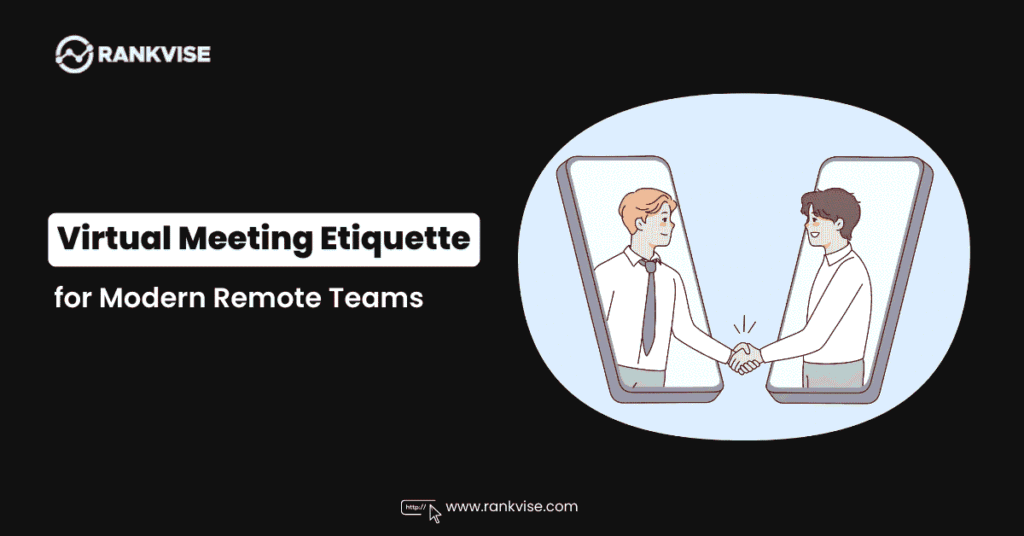
The shift to remote and hybrid work has fundamentally transformed how we collaborate, making virtual meetings an integral part of our professional lives. Yet, despite billions of video calls happening daily, many professionals still struggle with the nuances of digital communication. Poor virtual meeting etiquette doesn’t just create awkward moments—it can derail productivity, damage relationships, and cost organizations significant time and money.
Studies show that the average knowledge worker spends over 23 hours per week in meetings, with 67% of those now taking place virtually. This dramatic increase in digital collaboration has created new challenges that traditional in-person meeting skills simply don’t address. Understanding proper online meeting best practices isn’t just about being polite—it’s about maximizing collaboration efficiency and maintaining professional relationships in our increasingly digital workplace.
The Foundation of Professional Video Calls
Technical Preparation: Your Digital First Impression
Your technical setup speaks volumes before you even say hello. Poor audio quality, unreliable internet connections, or unfamiliarity with meeting platforms can immediately undermine your professional credibility and disrupt the flow of collaboration.
Essential technical checklist:
- Test your camera and microphone at least 15 minutes before the meeting
- Ensure stable internet connectivity (consider ethernet over Wi-Fi for important calls)
- Update your video conferencing software to the latest version
- Have backup communication methods ready (phone number, alternative platform)
- Close unnecessary applications to optimize system performance
The investment in quality equipment pays dividends in professional perception. A decent headset can eliminate echo and background noise, while proper lighting ensures you’re clearly visible to participants. Remember, technical difficulties don’t just affect you—they impact every participant’s experience and the meeting’s overall effectiveness.
Creating Your Professional Virtual Environment
Your background and lighting setup significantly influence how others perceive your professionalism and attention to detail. While working from home offers flexibility, maintaining professional standards during video calls demonstrates respect for your colleagues and the collaborative process.
Environment optimization strategies:
- Position yourself facing a light source (window or lamp) to ensure clear visibility
- Choose a clean, uncluttered background or use virtual backgrounds judiciously
- Eliminate potential distractions (close doors, silence notifications, inform household members)
- Position your camera at eye level to maintain natural eye contact
- Ensure your space reflects the tone appropriate for your meeting type
Communication Excellence in Digital Spaces
Mastering the Art of Virtual Presence
Digital communication lacks many of the subtle cues we rely on in face-to-face interactions. Successful remote collaboration requires intentional adaptation of our communication style to bridge this gap and maintain engagement across the virtual divide.
Key presence techniques:
- Maintain eye contact by looking at the camera, not the screen
- Use deliberate gestures and facial expressions to convey engagement
- Speak slightly slower and more clearly than in-person conversations
- Leave purposeful pauses to allow for audio delays and participant processing time
- Use verbal acknowledgments more frequently (“I understand,” “That makes sense”)
The absence of physical proximity means every participant must work harder to demonstrate active listening and engagement. Nodding, leaning forward slightly, and providing visual feedback helps maintain the collaborative energy that might otherwise dissipate in virtual environments.
Strategic Use of Muting and Audio Management
Proper audio management is perhaps the most critical aspect of virtual meeting etiquette. Background noise, echo, and audio feedback can destroy meeting productivity and create frustration among participants attempting to collaborate effectively.
Audio best practices:
- Mute yourself when not speaking, especially in large group meetings
- Use push-to-talk features during interactive sessions to minimize background noise
- Announce yourself clearly when speaking in larger groups
- Wait for complete sentences to finish before responding to avoid overlapping dialogue
- Learn your platform’s audio controls thoroughly (mute shortcuts, audio settings)
Understanding when to mute and unmute becomes second nature with practice, but the rule of thumb is simple: when in doubt, mute. Background noise from typing, paper shuffling, or household activities can be more disruptive in virtual environments than participants realize.
Meeting Leadership and Facilitation
Setting Clear Expectations and Structure
Effective virtual meetings require more intentional structure than their in-person counterparts. Without the natural flow of physical presence, meeting leaders must create explicit frameworks that guide participation and maintain productive collaboration.
Essential facilitation elements:
- Distribute detailed agendas at least 24 hours in advance
- Clearly define meeting objectives and expected outcomes
- Establish ground rules for participation (muting, raising hands, chat usage)
- Assign specific roles when appropriate (timekeeper, note-taker, facilitator)
- Plan for regular check-ins and breaks during longer sessions
Digital collaboration tools offer unique opportunities for enhanced meeting structure. Features like breakout rooms, screen sharing, and collaborative documents can transform virtual meetings from passive listening experiences into dynamic, interactive sessions that rival or exceed in-person productivity.
Managing Participation and Engagement
One of the greatest challenges in remote work culture is ensuring equitable participation across all meeting attendees. Virtual environments can make it easier for some personalities to dominate while others fade into the background, requiring deliberate facilitation techniques to maintain inclusive collaboration.
Engagement strategies:
- Directly invite input from quieter participants by name
- Use polling tools and chat features to gather diverse perspectives
- Implement structured turn-taking for complex discussions
- Monitor participant engagement through visual cues and verbal check-ins
- Create opportunities for smaller group interactions within larger meetings
The chat function deserves special attention as a powerful tool for inclusive participation. Some participants communicate more effectively through written input, and chat can capture ideas that might otherwise be lost in verbal discussions.
Professional Boundaries and Digital Communication
Timing and Scheduling Considerations
The flexibility of remote collaboration can blur professional boundaries if not managed thoughtfully. Establishing clear expectations around meeting timing, duration, and availability helps maintain work-life balance while ensuring productive professional video calls.
Scheduling best practices:
- Respect time zones when scheduling multi-location meetings
- Build buffer time between back-to-back virtual meetings
- Clearly communicate meeting duration and stick to planned end times
- Consider “camera fatigue” when planning multiple video sessions
- Offer phone-only options for lengthy or routine meetings when appropriate
Research indicates that virtual meetings can be more mentally taxing than in-person gatherings due to the increased cognitive load of processing digital communication cues. Building recovery time into schedules isn’t just courteous—it’s essential for maintaining long-term productivity and employee wellbeing.
Professional Appearance and Conduct Standards
While remote work offers increased flexibility in daily attire, maintaining appropriate professional standards during video calls demonstrates respect for colleagues and the collaborative process. The key lies in understanding your organization’s culture and adapting accordingly.
Appearance guidelines:
- Dress appropriately for your company culture and meeting importance
- Ensure personal grooming maintains professional standards
- Be mindful of eating, drinking, or personal activities during active participation
- Maintain professional posture and engagement throughout the meeting
- Consider the impact of casual behavior on team dynamics and relationships
Technology Integration and Digital Collaboration Tools
Maximizing Platform Features for Enhanced Collaboration
Modern video conferencing platforms offer sophisticated features that can significantly enhance virtual meeting effectiveness when used strategically. Understanding and utilizing these tools transforms basic video calls into dynamic collaborative experiences.
Advanced feature utilization:
- Screen sharing for presentations, document review, and collaborative work
- Breakout rooms for small group discussions and brainstorming sessions
- Digital whiteboards for visual collaboration and idea mapping
- Recording capabilities for training, documentation, and absent participant catch-up
- Integration with project management and productivity tools
The key to successful digital collaboration lies not just in having access to these features, but in understanding when and how to deploy them effectively. A well-timed breakout session can reinvigorate a flagging discussion, while strategic screen sharing can clarify complex concepts that might otherwise require lengthy explanations.
Security and Privacy Considerations
As virtual meetings become repositories for sensitive business information, understanding security protocols becomes a critical component of professional conduct. Proper security practices protect both individual privacy and organizational interests.
Security essentials:
- Use meeting passwords and waiting rooms for sensitive discussions
- Understand recording policies and obtain appropriate consent
- Be mindful of confidential information visible in backgrounds or screen shares
- Verify participant identity in important business meetings
- Follow organizational guidelines for external participant inclusion
Building Stronger Remote Relationships
Creating Connection in Digital Spaces
One of the most significant challenges in remote collaboration is maintaining the human connections that fuel effective teamwork. Virtual meeting etiquette extends beyond technical proficiency to include intentional relationship-building that compensates for reduced face-to-face interaction.
Relationship-building techniques:
- Allocate time for informal conversation before and after formal meetings
- Use icebreakers and check-ins to maintain personal connections
- Share appropriate personal updates to maintain team cohesion
- Recognize and celebrate team achievements in virtual settings
- Create opportunities for non-work social interaction
The absence of casual hallway conversations and impromptu interactions means that virtual meetings often carry additional relationship maintenance responsibilities. Successful remote teams deliberately create space for the social elements that naturally occur in physical workspaces.
Measuring Success and Continuous Improvement
Evaluating Meeting Effectiveness
The transition to virtual collaboration provides an opportunity to reassess meeting effectiveness with fresh perspectives. Digital tools offer new metrics and feedback mechanisms that can help teams optimize their collaborative processes.
Effectiveness indicators:
- Participant engagement levels and contribution balance
- Meeting objective achievement and action item completion
- Time management and agenda adherence
- Technical smooth operation and minimal disruptions
- Participant feedback and satisfaction ratings
Regular evaluation of virtual meeting practices helps teams identify areas for improvement and adapt their approach based on actual results rather than assumptions about what works in digital environments.
The Future of Professional Virtual Collaboration
As remote and hybrid work models continue evolving, mastering virtual meeting etiquette becomes increasingly valuable for career advancement and organizational success. The professionals who thrive in this environment are those who view digital collaboration not as a temporary adjustment, but as a fundamental skill requiring ongoing development and refinement.
The investment in excellent virtual meeting practices pays dividends in improved productivity, stronger professional relationships, and enhanced career opportunities. Organizations that prioritize training and development in this area often see measurable improvements in employee engagement, project outcomes, and overall collaborative effectiveness.
Ready to transform your virtual collaboration experience? Consider conducting a meeting effectiveness audit with your team, identifying specific areas for improvement, and implementing these best practices systematically. The future of work is digital—make sure your professional skills are positioned for success.
Whether you’re leading a global team, participating in client presentations, or collaborating on complex projects, exceptional virtual meeting etiquette sets you apart as a consummate professional who understands the nuances of modern workplace communication. The time you invest in mastering these skills will serve you throughout your career as digital collaboration continues to evolve and expand.