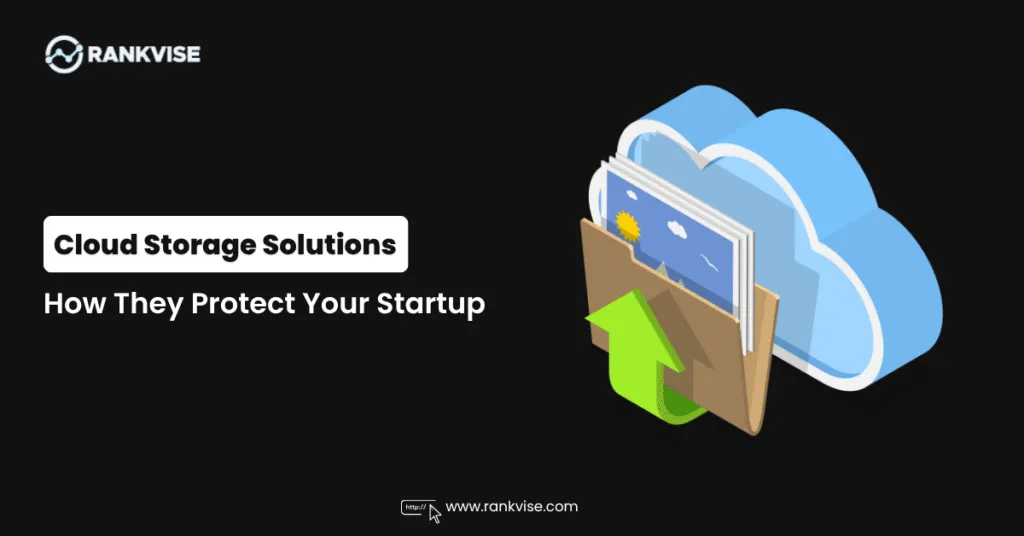
Startups run on data. Customer records, financial documents, product designs, and marketing assets fuel daily operations. Losing even a fraction of this data can cripple a young business.
Traditional storage methods like local hard drives and on-premise servers carry significant risks. They fail, they get stolen, and they cannot scale with your growth. Cloud storage solutions eliminate these vulnerabilities by moving your data to secure, remote servers.
In 2026, startups face more cyber threats than ever before. Ransomware attacks increased by over 60% in the past two years alone. Small businesses remain prime targets because attackers assume they lack proper defenses.
Cloud data protection gives startups enterprise-grade security without the enterprise budget. You get encrypted storage, automated backups, and real-time monitoring from day one.
How Cloud Storage Solutions Actually Protect Your Data
Understanding the mechanics helps you make informed decisions. Here is how these platforms keep your business safe.
End-to-End Encryption
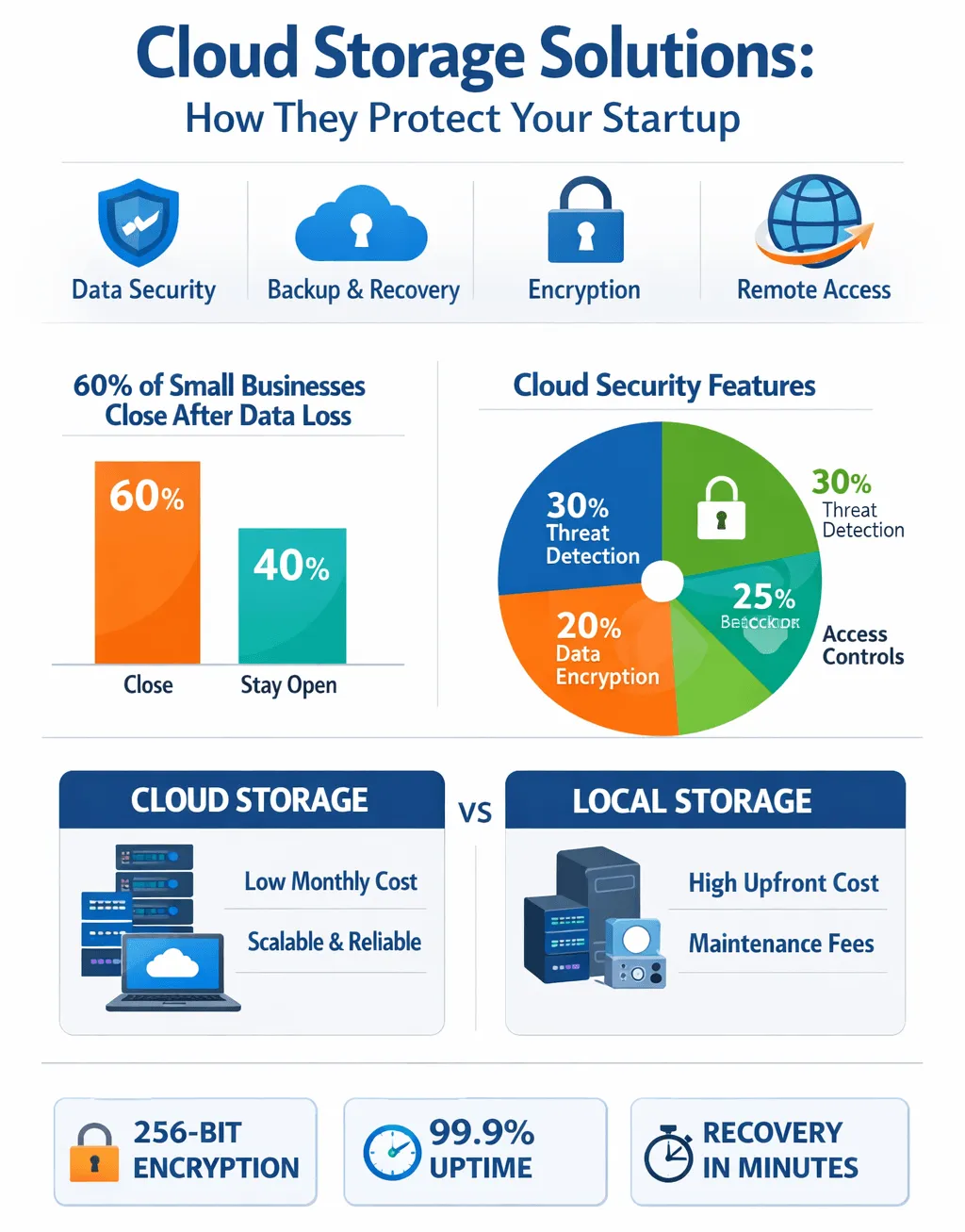
Cloud providers encrypt your files during transfer and while stored on their servers. This means even if someone intercepts your data, they cannot read it. Most providers use AES-256 encryption, the same standard banks and governments rely on.
Automated Data Backup for Startups
Human error causes most data loss incidents. Employees forget to save files. Someone accidentally deletes a critical folder. Automated backups remove human forgetfulness from the equation.
Your files sync continuously to the cloud. If anything goes wrong locally, you restore everything in minutes. This automated approach to data backup for startups saves countless hours and prevents costly downtime.
Redundant Storage Architecture
Leading providers store copies of your data across multiple geographic locations. If one data center experiences a natural disaster or hardware failure, your files remain accessible from another location. This redundancy makes permanent data loss nearly impossible.
For many founders, the challenge is finding a balance between robust protection and the agility needed to move fast. Implementing professional cloud storage solutions for business provides a way to achieve both. These platforms offer enterprise-grade security that would be far too expensive and complex for a startup to build on its own. By utilising encrypted environments, a small team can ensure that their intellectual property remains strictly private, even as they share files with investors or external contractors across the globe.
Key Cloud Security Features That Matter for Startups
Not all cloud storage solutions offer the same protection levels. Focus on these essential cloud security features when evaluating providers.
| Feature | What It Does | Why It Matters for Startups |
|---|---|---|
| Two-factor authentication | Requires a second verification step | Prevents unauthorized account access |
| Zero-knowledge encryption | Provider cannot read your files | Maximum privacy for sensitive data |
| Version history | Keeps previous file versions | Recover from accidental edits or deletions |
| Access controls | Limits who sees what | Protects confidential information internally |
| Activity logs | Tracks all file interactions | Identifies suspicious behavior quickly |
| Remote wipe | Erases data from lost devices | Prevents data leaks from stolen hardware |
Disaster Recovery Solutions: Your Safety Net
Every startup needs a disaster recovery plan. Without one, a single incident can end your business permanently. Studies show that 60% of small businesses close within six months of a major data loss event.
Cloud storage solutions serve as the foundation of modern disaster recovery solutions. They ensure your business continues operating regardless of what happens to your physical equipment.
What Disasters Can Strike a Startup?
Disasters take many forms beyond natural events:
- Ransomware locking all company files
- Hardware failure destroying local storage
- Employee accidentally deleting shared drives
- Office fire or flood damaging equipment
- Theft of laptops containing business data
How Cloud Recovery Works in Practice
Imagine your office floods overnight. Every computer is destroyed. With cloud storage, your team logs in from home the next morning. Every file, every project, every customer record remains intact and accessible.
Recovery time drops from weeks to minutes. Your startup stays operational while competitors with local-only storage scramble to rebuild from scratch.
Remote Data Access: Empowering Your Distributed Team
Modern startups rarely operate from a single location. Founders work from coffee shops. Developers contribute from different countries. Sales teams travel constantly.
Remote data access through cloud storage solutions keeps everyone connected to the same files. No more emailing attachments back and forth. No more version confusion. Everyone works from a single source of truth.
Benefits of Remote Data Access for Startups
- Team members collaborate on documents simultaneously
- Files stay updated across all devices automatically
- New hires access necessary resources immediately
- Client presentations remain available anywhere with internet
- No dependency on office network infrastructure
This flexibility also strengthens security. Centralized cloud storage means fewer copies of sensitive files scattered across personal devices and email threads.
Online Storage for Small Business: Cost Advantages
Budget constraints define startup life. Every dollar matters. Online storage for small business delivers enterprise protection at startup-friendly prices.
Cost Comparison: Cloud vs. On-Premise
On-premise storage demands upfront hardware purchases, ongoing maintenance, IT staff salaries, electricity costs, and eventual replacement cycles. A basic server setup costs thousands before storing a single file.
Cloud storage operates on predictable monthly subscriptions. You pay only for the storage you use. As your startup grows, you scale up instantly. If you need to cut costs, you scale down just as easily.
Most providers offer free tiers or startup-friendly plans under 15 USD per month. This covers secure file storage, automatic backups, and collaboration tools that previously required expensive enterprise software.
Hidden Savings You Might Miss
Cloud storage eliminates costs startups often overlook:
- No physical server maintenance or repairs
- No dedicated IT staff for storage management
- No electricity costs for running local servers
- No insurance premiums for on-site equipment
- No replacement cycles every three to five years
Choosing the Right Secure File Storage Provider
The market offers dozens of options. Making the right choice depends on your specific startup needs.
Questions to Ask Before Committing
- Where does the provider store data geographically?
- What encryption standards do they use?
- How quickly can you recover files after an incident?
- Does the platform integrate with your existing tools?
- What compliance certifications does the provider hold?
- Can you control access permissions at a granular level?
Red Flags to Watch For
Avoid providers that lack transparency about their security practices. If a company cannot clearly explain where your data lives and who can access it, look elsewhere. Also avoid platforms without a proven uptime track record.
Best Practices for Maximizing Cloud Data Protection
Simply subscribing to a cloud provider is not enough. Follow these practices to strengthen your startup’s security posture.
Implement Strong Access Policies
Limit file access based on job roles. Your marketing intern does not need access to financial records. Your accountant does not need product development files. Principle of least privilege reduces internal risk significantly.
Train Your Team
Human error remains the leading cause of data breaches. Conduct quarterly security awareness sessions. Teach employees to recognize phishing attempts and practice safe file-sharing habits.
Enable All Available Security Features
Many startups pay for advanced cloud security features but never activate them. Enable two-factor authentication immediately. Turn on login alerts. Configure automatic session timeouts for inactive accounts.
Review Access Logs Monthly
Check who accessed what and when. Unusual patterns often signal compromised accounts. Early detection prevents minor incidents from becoming catastrophic breaches.
Real-World Scenario: Cloud Storage Saving a Startup
Consider a five-person fintech startup handling sensitive customer financial data. One morning, ransomware encrypts every file on their local network. The attackers demand 50,000 USD in cryptocurrency.
Because this startup used cloud storage solutions with automated hourly backups, they simply disconnect infected machines. They restore all data from the previous night’s backup within two hours. Total data lost: one hour of work. Total ransom paid: zero.
Without cloud backup, this startup would face an impossible choice between paying criminals or losing everything. This scenario plays out thousands of times yearly across small businesses globally.
Future-Proofing Your Startup with Cloud Storage
Cloud storage technology evolves continuously. Artificial intelligence now monitors files for unusual access patterns. Machine learning detects potential threats before they cause damage.
Startups adopting cloud storage solutions today position themselves for seamless security upgrades tomorrow. Providers roll out improvements automatically. You benefit from cutting-edge protection without lifting a finger.
As regulations around data privacy tighten worldwide, cloud providers maintain compliance on your behalf. They handle the complex legal requirements so you can focus on building your product and serving customers.
FAQs
Cloud storage solutions store your business data on secure remote servers with encryption, automated backups, and redundancy. They protect startups from data loss, cyberattacks, and hardware failures without requiring expensive on-premise infrastructure.
Most providers offer startup plans between 5 and 15 USD monthly per user. Many include free tiers with limited storage, making cloud data protection accessible even for pre-revenue businesses.
Cloud storage cannot prevent ransomware from infecting devices, but it ensures rapid recovery. Automated backups let you restore all files to a pre-attack state within minutes, eliminating the need to pay ransom.
Yes. Cloud providers use enterprise-grade encryption, redundant backups across multiple locations, and 24/7 monitoring. Local drives offer none of these protections and remain vulnerable to theft, damage, and failure.
Evaluate encryption standards, compliance certifications, integration with your tools, uptime guarantees, and scalability options. Prioritize providers offering granular access controls and transparent security documentation.