Skip to content
There is no shortage of advice about how to write better. What is genuinely harder to find and considerably more valuable is a clear-eyed look at the tools that make writing better actually possible, without drowning in a subscription stack that costs more than the work it produces.
- Treat your toolkit as a strategic decision: add tools for real pain points, ensure each tool earns its cost through time savings or quality gains.
- Prioritize rigorous research and topic discovery using SEO and listening tools to find high intent queries, content gaps, and shareable angles.
- Use AI and editing tools to accelerate drafting and quality control, but avoid letting them homogenize voice or replace original perspective.
Content creation in 2026 is a different discipline from what it was three years ago. The bar for research depth has risen. Speed expectations from clients and editorial teams have accelerated. SEO demands have grown more technical. And the sheer volume of competing content on any given topic means that average is, effectively, invisible.
This guide maps out the tools that serious content creators, digital marketers, and freelance writers are actually using organized by function, evaluated honestly, and built to help you construct a toolkit that works for your specific workflow.
Before diving into specific tools, one category worth flagging upfront: on-demand writing and research platforms. When a project requires depth, speed, or subject-matter expertise that a solo writer cannot reliably provide alone, structured support platforms fill the gap. Services that help users help me do my homework like DoMyEssay, enforce rigorous sourcing, formatting, and originality standards across every assignment. For content creators studying how high-stakes, well-documented writing is structured and cited, these platforms offer useful reference models that apply directly to long-form content production.
Why Your Toolkit Is a Strategic Decision, Not a Preference?
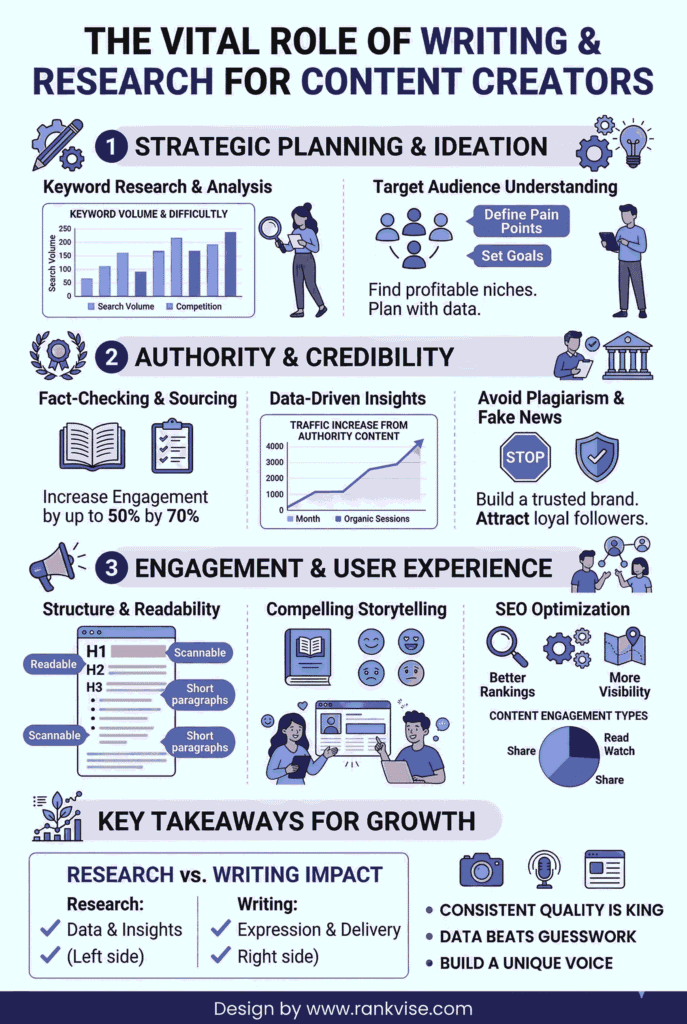
Most conversations about writing tools treat them as interchangeable productivity aids pick whichever interface feels comfortable, and get on with the work. That framing undersells the decision considerably.
The tools you use shape how you think about content. A writer who relies exclusively on AI generation learns to prompt and edit, but may lose the muscle for original ideation. One who never uses keyword research produces content that reads beautifully but reaches no one. The goal of an effective toolkit is friction reduction at the right stages — speeding up the genuinely repetitive parts while preserving cognitive space for the parts that require real human judgment.
That distinction matters especially for professional content writing where the deliverable is not just words, but words that achieve a measurable business outcome.
Research and Topic Discovery Tools
Research is where most content fails before it begins. Writers either skip it, producing shallow content that does not rank, or they over-invest in it, spending hours in rabbit holes before writing a single sentence. The right tools compress the research phase without compressing the quality of the output.
1. Semrush and Ahrefs: SEO-Driven Topic Research
For any content creator working in digital marketing, SEO, or any niche with meaningful search volume, Semrush and Ahrefs are less tools and more infrastructure. Both platforms let you identify keywords with genuine traffic potential, audit competitor content to understand what ranks and why, map content gaps your competitors cover that you do not, and track your own rankings over time.
The practical distinction between the two is relatively minor at most use cases. Semrush has a broader set of marketing features beyond SEO. Ahrefs has historically been stronger for backlink analysis. Either works. Neither is cheap, which is why most solo creators use one alongside the free tier of Google Search Console rather than both simultaneously.
2. AnswerThePublic: Mapping Real User Questions
Search keyword tools are excellent at showing what people search for. AnswerThePublic adds a complementary layer: it maps the questions, comparisons, and prepositions that real users associate with a given topic. This surfaces long-tail opportunities that pure keyword research often misses — the specific, nuanced queries that indicate high intent and gives you the structure for an FAQ section or related-questions cluster, increasingly important for appearing in Google’s People Also Ask boxes.
3. BuzzSumo: What Is Actually Resonating
Keyword data tells you what people search for. BuzzSumo tells you what people share, engage with, and link to. Before committing to a topic angle, run it through BuzzSumo to see what has performed best in your niche over the past 12 months. The results tell you whether to zig (write a contrarian take on a well-covered topic) or zag (find an adjacent, underserved angle).
Writing and Drafting Tools
Once your research is in place, the writing phase is where most of the real decisions happen. The best drafting tools get out of the way — they reduce friction without replacing the thinking that only the writer can do.
1. Notion: For Writers Who Think in Systems
Where Google Docs excels at single-document creation, Notion excels at the system around content creation. Content calendars, research databases, client brief templates, SEO keyword trackers, and competitor analysis notes all live more naturally in Notion than in a folder of Docs files. For freelancers managing multiple clients, Notion’s database features allow organizational clarity that no folder structure can match.
2. AI Writing Assistants: The Double-Edged Tool
No honest guide to writing tools in 2026 can avoid this category, and no honest guide should endorse it uncritically. AI writing assistants like ChatGPT, Claude, Jasper, Copy.ai — are genuinely useful for generating multiple angle options before committing to one, drafting section outlines that can then be rewritten in the writer’s voice, producing first-draft intros that can be revised into something distinctive, and creating headline or meta description variations for A/B testing.
What AI assistants are not well-suited for is producing publishable content directly. The output tends to be accurate enough to pass a casual read but generic enough to blend into the undifferentiated middle of any SERP. The competitive advantage in content in 2026 is specificity, voice, and original perspective — qualities that come from real experience, not pattern completion.
Editing and Quality Control Tools
The gap between a good draft and a publishable piece is almost always closed in editing. The tools in this category reduce the time it takes to move through that gap without cutting the corners that matter.
| Tool | Primary Function | Best Used For |
|---|---|---|
| Grammarly | Grammar, punctuation, tone, and clarity | All writers — essential baseline for any professional content |
| Hemingway Editor | Readability, sentence complexity, passive voice flags | Long-form writers prone to dense or over-engineered paragraphs |
| QuillBot | Paraphrasing, summarizing, sentence restructuring | Editing AI-generated drafts or condensing dense research sections |
| Copyscape | Originality and plagiarism detection | Agencies and freelancers publishing on behalf of multiple clients |
| ProWritingAid | Deep style analysis — pacing, repetition, structure | Writers producing long-form guides, white papers, or editorial content |
The most important thing to understand about editing tools: they evaluate content against a fixed standard that does not account for voice, audience, or purpose. Use them to catch what your eye misses — not to homogenize what makes your writing distinct.
SEO Optimization and On-Page Tools
Writing a piece that is genuinely good is necessary but not sufficient. It also has to be structured in a way that makes it discoverable. These tools bridge that gap.
1. Surfer SEO and Clearscope: Content Optimization Platforms
Both Surfer SEO and Clearscope analyze the top-ranking pages for a given keyword and extract the structural and semantic patterns that correlate with those rankings. They then give you a content brief or real-time editor that tells you which topics to cover, which questions to address, and how to distribute your keyword usage. These tools are genuinely useful for writers less experienced with SEO, and they can accelerate the process for experienced writers who want to skip the manual SERP analysis phase.
The caveat: treating their recommendations as prescriptions rather than guidelines produces formulaic content that performs adequately but never distinctively. Pair them with a thorough on-page SEO audit to catch technical gaps that content optimization tools often miss.
2. Yoast SEO and Rank Math: CMS-Level Optimization
For anyone publishing on WordPress, Yoast SEO and Rank Math provide a real-time on-page analysis layer inside the CMS itself. They check title tag length, meta description quality, keyword usage, internal linking, and readability against SEO best practices, flagging issues before publication. Both are solid — Rank Math has a slightly more generous free tier and has been closing the feature gap with Yoast over the past two years.
Visual and Multimedia Content Tools
Long-form written content increasingly lives in visual contexts. Charts, comparison tables, custom diagrams, and embedded media all contribute to time-on-page and the overall perceived quality of a piece.
- Canva remains the default for non-designers who need professional-quality visual assets. Its template library for infographics, comparison charts, social media graphics, and custom illustrations covers the vast majority of what content teams need.
- Flourish and Datawrapper are specialized for data visualization — turning spreadsheets and research data into interactive charts and maps. For content creators working in data-heavy niches, the ability to embed a well-designed chart instead of a static screenshot meaningfully increases the perceived authority of a piece.
- Unsplash and Pexels cover photography needs at no cost. For commercial use cases where image exclusivity matters, Adobe Stock’s subscription model is worth the investment.
Building Your Stack — A Practical Framework
With this many tools available, the risk is obvious: over-engineering a workflow that creates as much friction as it removes. The goal is to add tools at pain points, not in advance.
If you are losing time on SERP analysis, add Surfer SEO. If your drafts consistently need heavy editing, add Hemingway. If you are managing multiple clients or writers, invest in Notion’s organizational structure. Do not add a tool because it looks impressive — add it because it solves a real problem you are experiencing right now.
The point is not to hit a specific spend level — it is to ensure every tool in your stack earns its cost through measurable time savings or quality improvements. For teams that want professional content strategy support alongside their tooling, Rankvise’s digital marketing services combine platform expertise with hands-on execution.
Conclusion: Tools Serve Strategy, Not the Other Way Around
The most common mistake in building a content toolkit is treating tool selection as the strategy itself. The tools do not make the content good. They make a good content creator more efficient, more consistent, and more competitive.
The writers and marketers who produce content that consistently ranks, earns shares, and builds genuine authority are not the ones with the largest stack. They are the ones who have internalized a clear process — research, angle selection, structural planning, drafting, editing, optimization — and then chosen tools that reduce friction at each stage without disrupting the flow of creative work. Start there, and build outward.