Skip to content

No doubt, 4K resolution has become the gold standard for ultra-high-definition video content. Whether you’re watching your favorite shows, editing videos, or creating content, knowing how to achieve 4K video quality is crucial.
In this regard, an efficient 4K upscaler can help enhance resolution, reduce noise, and improve colors, making your lower-quality videos look stunning and professional. In this article, you’ll explore what is 4K resolution and the top tools to upscale video quality on desktop, mobile, and online devices.
What is 4K Resolution?
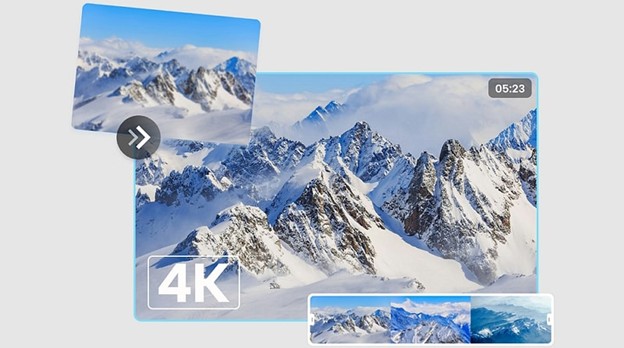
4K resolution is a display with a dimension of 3840 x 2160 and a total of 8.2 million pixels. It is also known as Ultra High Definition (UHD), which is ideal for 4K and larger screen displays. The higher pixel count provides more detail, greater clarity, and sharper visuals compared to 1080p resolution.
4 Best 4K Video Upscaler for Windows & Mac
Here are the leading tools to enhance your videos to 4K quality on Windows or Mac. Let’s explore each one with its pros and cons:
1. HitPaw VikPea
HitPaw VikPea is a powerful software that leverages cutting-edge technology to upscale video content in just one click. You can effortlessly transform grainy or low-resolution footage into 4K or even 8K resolution without compromising quality.
It offers various AI enhancement models to restore, denoise, sharpen, colorize, and stabilize footage. With an intuitive interface and multi-format support, you can enjoy quick processing and professional-quality output. You can even preview the results before exporting to make changes on the go.
Main Features:
- Retain original colors and metadata during upscaling
- Help generate new frames to smooth choppy videos
- Instantly convert SDR footage into HDR without hassle
- Upscale multiple videos in a batch, boosting productivity
- Cloud-accelerated processing for fast, large-scale tasks
How to Enhance Videos using HitPaw VikPea:
Step 1. Import Video
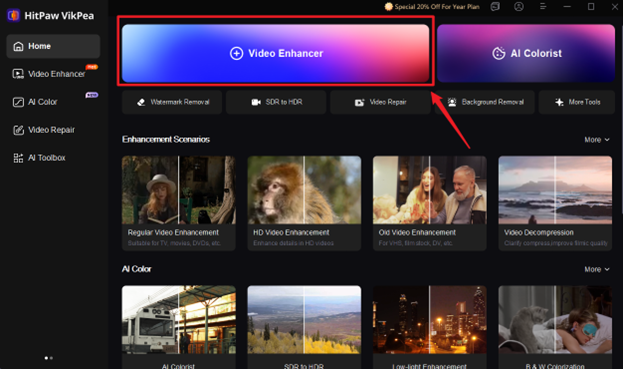
First of all, install and launch this program. Now, click the “Video Enhancer” tab, and import the required video file.
Step 2. Select AI Model
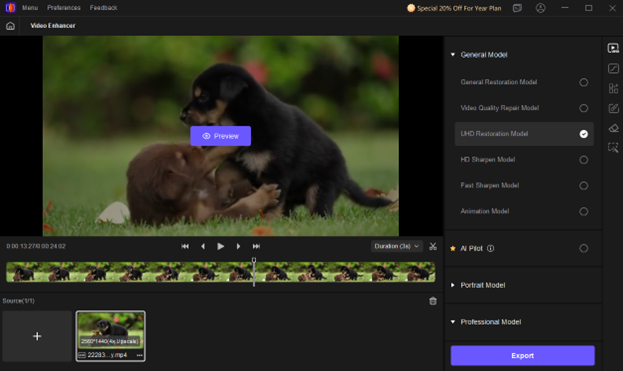
It’s time to choose the desired AI enhancement model from the side column. Also, select the mode for the option you have chosen.
Step 3. Export in 4K Resolution
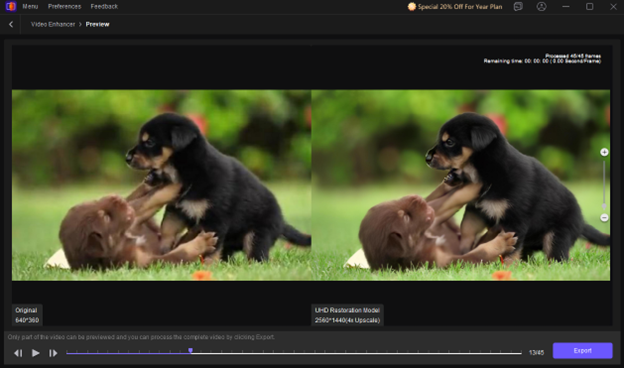
Lastly, press the “Preview” button. If it’s okay, expand the “Export settings” and pick “4K” resolution. Also, adjust other parameters, and then hit “Export” or “Cloud Export.”
2. VideoProc Converter AI
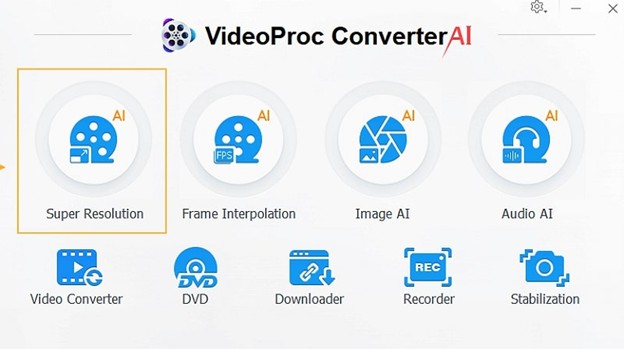
VideoProc Converter AI works as a remarkable 4K upscaler, offering Super Resolution to upscale videos by up to 400%. It can enlarge 360p videos to HD or 4K resolution while maintaining their details. It also offers powerful enhancement models to enhance videos by deblurring, denoising, upscaling, sharpening, stabilization, and restoration.
Pros:
- Allow input from DVDs, VHS tapes, etc.
- Fast and High Quality modes
- Batch processing
Cons:
- Limited free trial
- Occasional performance issues
3. Aiarty Video Enhancer
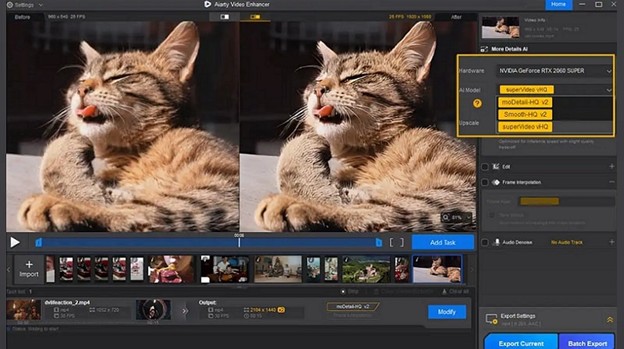
Aiarty Video Enhancer is another video upscaler that uses advanced artificial intelligence to enhance your footage up to 4K resolution. It analyzes each frame, corrects imperfections, and intelligently reconstructs details, thus giving your videos a polished 4K finish. You can also denoise and sharpen multiple videos in a batch.
Pros:
- Restore old, low-light, and grainy videos
- Side-by-side comparison preview
- Fast processing speed
Cons:
- Fewer AI models
- Limited export formats & codecs
4. AVCLabs Video Enhancer AI
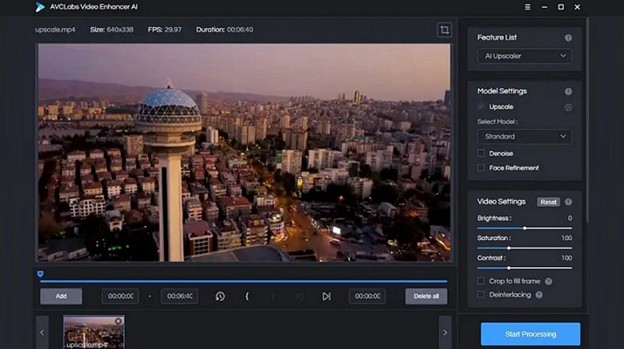
AVCLabs Video Enhancer AI is another exceptional software for upscaling videos to 4K or 8K resolution. It offers both manual and automatic enhancements with high-quality results. You can also colorize black-and-white videos, interpolate frames, remove grain & noise, and stabilize shaky footage with a single tap, while preserving their originality.
Pros:
- 3X faster processing
- Single & multi-frame enhancement
- Multi-format support with batch upscaling
Cons:
- A bit expensive
- Limited customization
Top 4 Online Tools to Upscale Video to 4K Resolution
If you prefer using online platforms to upscale your videos to 4K quality, below are some of the best ones:
1. TopazLabs
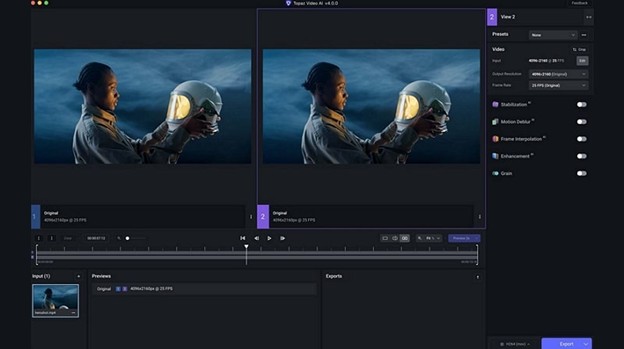
TopazLabs is an industry-leading online 4K upscaler known for its exceptional AI technology, which can process millions of video frames per second to deliver premium results. It helps you improve clarity, enhance motion, recreate details, and remove noise & pixelation. You can also use the slider to customize sharpening and frame rate boost.
Pros:
- API integration
- Offer video-based presets
- Let you preview before exporting
Cons:
- Limited free plan features
- Require high system resources
2. Picwand.ai
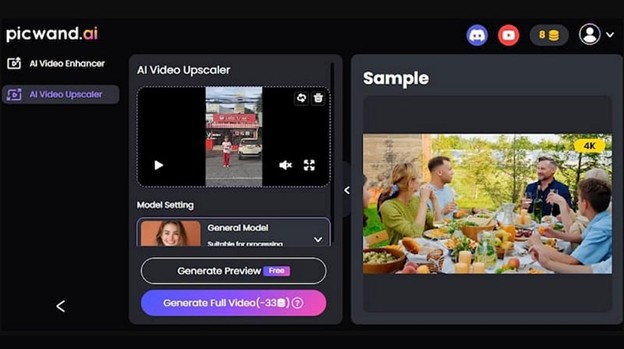
Picwand.ai is another online upscaler that offers a one-tap approach to enhance blurry or low-resolution footage. With its simple interface, you can easily sharpen details, reduce pixelation, and upscale videos to 4K resolution with no loss of quality. It can automatically fill in pixels and refine texture for a professional look.
Pros:
- Free, online, and watermark-free
- Denoise and color correction features
- Available on the Play Store and App Store
Cons:
- Advanced features require a subscription
- File size and time limits in the free mode
3. Neural.love

Neural.love is another AI video upscaling tool that effortlessly upscales your video resolution to 4K online. Its advanced technology can remove artifacts, enhance clarity, and breathe new life into your footage. With fast processing, you can utilize various features, including motion smoothing, colorization, facial restoration, and slow motion.
Pros:
- Easy to use
- High-quality results
- Real-time preview
Cons:
- Free plan with limited credits
- Lack of customization features
4. Clipfly

Clipfly is a simple yet powerful online tool that enables you to upscale videos to 4K quality in just one tap. Whether you want to restore an old video, improve the clarity of a blurry shot, or sharpen a low-resolution clip, it helps enhance your videos efficiently. You can also optimize the frame rate.
Pros:
- Ideal for social media
- Watermark-free results
- Available for Android & iPhone
Cons:
- Credit-based pricing
- Limited video length enhancement for free
2 Must-Try Apps for Upscaling Videos to 4K Quality
If you need to use a 4K upscaler on your mobile, the following apps are worth trying. Let’s explore their details:
1. Videoshop
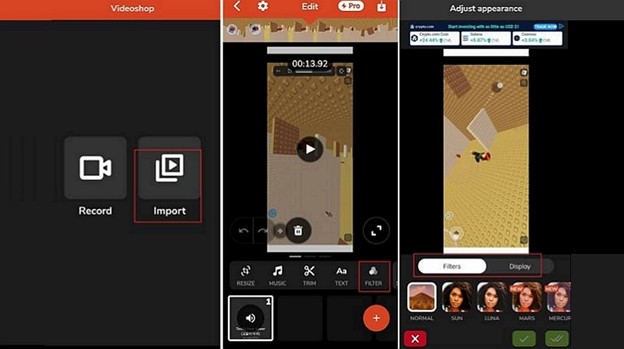
Videoshop is a video editor that allows iPhone and Android users to upscale their videos to 4K resolution. It offers various filters to enhance video quality. You can also set the contrast, saturation, brightness, vibrance, sharpness, and other parameters to achieve a high-quality output.
Pros:
- Simple and clean interface
- Free with no pop-up ads
- Plenty of editing functionalities
Cons:
- No one-click enhancement
- 4K resolution is not for free users
2. PowerDirector
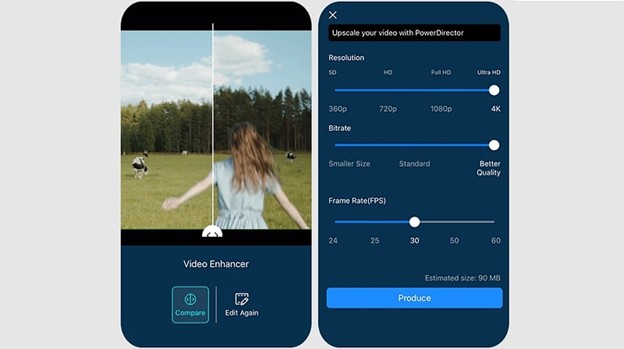
PowerDirector is a comprehensive video editor to help upscale videos to Ultra HD or 4K quality. With an intuitive interface and fast processing, it offers remarkable enhancement features to reduce noise, improve sharpness, amplify colors, stabilize shakiness, and interpolate frames, ensuring the most optimal and natural results.
Pros:
- AI upscaling and sky replacement
- Support multi-cam editing
- Frame rate and bitrate adjustment
Cons:
- Leave a watermark in the free mode
- Some features are premium
FAQs about 4K Upscaler
Yes, 1080p videos can be upscaled to 4K resolution using various 4K upscalers. These tools utilize AI to enhance the video’s detail, resulting in a sharp and clear look.
The best 4K video upscaler depends on your specific needs and platform. However, HitPaw VikPea stands out for Windows and Mac users due to its AI-driven enhancement and ease of use.
Conclusion
4K upscaler is a game-changer for anyone looking to enhance their video content. Whether you prefer using desktop software, online tools, or mobile apps, this post has offered various options to help you achieve stunning 4K quality. However, for the best results, HitPaw VikPea is a must-try for its AI-powered features, user-friendly interface, fast processing, and professional output. Try it today and effortlessly enhance your videos!