You spot a customer testimonial on Instagram. It perfectly showcases your product. You want to share it on your own feed. But Instagram still does not offer a native repost button for feed posts.
- Choose apps that preserve quality, support photos, videos, Reels, and carousels, and add automatic attribution.
- Always credit creators, ask permission, never edit original posts, and avoid reposting from private accounts.
- Pick repost tools with scheduling and cross-platform distribution to save time and expand reach.
That gap is exactly why a dedicated app for Instagram repost exists. These tools let you reshare photos, videos, Reels, and Stories from other accounts to your own profile. They handle formatting, attribution, and quality so you do not have to screenshot or screen-record anything.
This guide covers the best Instagram repost apps available right now. You will learn what each one offers, how to choose the right tool, and how to repost content without running into copyright or etiquette issues.
Why You Need an App for Instagram Repost?
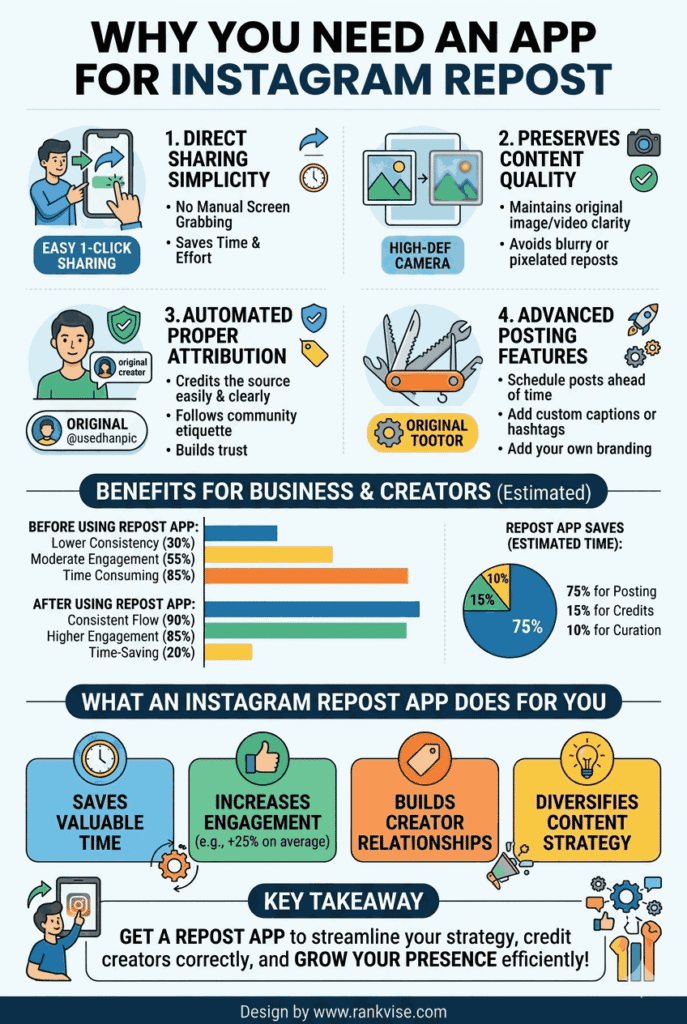
Instagram lets you share posts to your Stories and send them via direct message. But it does not let you repost someone else’s content directly to your own feed. That limitation creates a real problem for brands, creators, and community accounts that rely on user-generated content.
A repost app fills that gap. It downloads or links to the original post and lets you publish it on your profile with proper credit. Most tools automatically add the original creator’s username as a watermark or caption tag.
Businesses use repost apps to share customer reviews, partner content, and industry news. Creators use them to curate feeds around specific themes. Community pages use them to aggregate the best content from a niche. Without a reliable repost tool, all of that curation becomes manual and time-consuming.
What to Look for in an Instagram Repost App?
Not every repost app delivers the same experience. Some are loaded with ads. Others degrade image quality. A few have been removed from app stores for violating platform policies. Here is what matters when choosing the right tool.
Content type support — The best apps handle photos, videos, carousels, Reels, and Stories. Some older tools only support static images. Make sure the app covers the content formats you repost most.
Attribution features — Proper credit matters legally and ethically. Look for apps that automatically add the original creator’s handle as a watermark, caption mention, or both. This protects you and respects the content owner.
Image and video quality — A good repost app preserves the original resolution. Avoid tools that compress files or add visible quality loss. Your reposted content should look identical to the original.
Ease of use — The best tools work in two or three taps. Copy the post link, open the app, and repost. Anything more complicated than that slows down your workflow without adding value.
Platform compatibility — Confirm the app works on your device. Some apps are iOS only. Others are Android exclusive. A few work across both platforms or offer web-based alternatives.
Top Instagram Repost Apps Worth Using
Here are the most reliable options available right now, each suited to different needs and workflows.
Repost for Instagram by Repost+
This is one of the most popular and longest-running repost apps on both iOS and Android. It works with a simple copy-and-paste workflow. Copy the Instagram post link, open the app, and it automatically loads the content ready to share.
Repost+ adds a small attribution watermark showing the original creator’s username. You can customise the watermark position and colour. The free version includes ads, while the premium version removes them and unlocks additional features. It supports photos, videos, and Reels.
Later
Later is primarily a social media scheduling platform, but its repost functionality makes it a powerful all-in-one tool. You can discover, save, and reschedule user-generated content directly within the platform. Later preserves image quality and lets you plan reposts alongside your original content calendar.
This option works best for businesses and marketing teams that already manage their Instagram scheduling through a planning tool. Later offers a free plan with limited features and paid tiers starting at around 25 USD per month.
Planoly
Planoly combines visual feed planning with repost capabilities. It lets you curate content from other accounts, preview how it looks on your grid, and schedule it for publishing. The visual planner is especially useful for brands that maintain a carefully designed Instagram aesthetic.
Planoly supports photos and videos. Its repost workflow integrates directly into the scheduling process, making it efficient for teams managing multiple accounts. Pricing starts at around 16 USD per month after a free trial.
Repurpose.io
Repurpose.io takes a different approach. It focuses on cross-platform content distribution. You can automatically repost Instagram content to other platforms like TikTok, YouTube, or Facebook. It is ideal for creators and businesses that want to maximise content reach across multiple channels from a single source.
This tool suits users who think beyond Instagram alone. Repurpose.io is a paid platform with plans starting at around 29 USD per month, targeted at serious content creators and marketing teams.
Regrann (Android)
Regrann is a lightweight Android app built specifically for Instagram reposting. It runs in the background and detects when you copy an Instagram link. It then prompts you to repost with a single tap. The app adds attribution and supports photos and videos.
Regrann is free with ads. It lacks the scheduling and planning features of larger platforms but excels at quick, one-off reposts for Android users who want simplicity.
DownloadGram (Web-Based)
DownloadGram is not a traditional repost app. It is a web-based tool that lets you download Instagram photos and videos by pasting the post URL. You then manually upload the content to your own profile. This approach gives you full control over captions and timing.
The downside is the extra manual steps. You must add attribution yourself. But for users who do not want to install another app, this browser-based option works reliably across all devices.
How to Repost on Instagram the Right Way
Using a repost app is the technical part. Doing it respectfully and legally is equally important. Follow these guidelines every time you share someone else’s content.
Always credit the original creator. Tag them in the photo, mention their handle in the caption, and use the app’s built-in watermark feature. Credit is not optional — it is both an ethical standard and a practical safeguard against copyright complaints.
Ask permission before reposting when possible. A quick direct message saying “We love this post — mind if we share it on our feed with credit?” takes thirty seconds and builds goodwill. Many creators appreciate the exposure and will even engage with your repost.
Never edit the original content. Cropping, filtering, or altering someone’s work without permission crosses a line. Repost it exactly as the creator published it. If you need a different format, ask the creator to provide one.
Avoid reposting content from private accounts. If an account is set to private, the user has chosen to limit their audience. Respect that boundary regardless of how relevant the content might be to your brand.
When Reposting Makes Strategic Sense for Your Brand
Reposting is not just a convenience feature. It is a content strategy tool when used intentionally.
User-generated content builds social proof faster than branded content alone. When real customers share their experience with your product, reposting that content shows authenticity. Prospective buyers trust peer recommendations far more than polished brand messaging.
Reposting also reduces your content production burden. Curating high-quality posts from your community, industry partners, or brand ambassadors fills your calendar without requiring a full photoshoot or design session for every post.
The most effective accounts blend original content with strategic reposts. A ratio of roughly 70% original content and 30% curated or reposted content keeps your feed fresh without diluting your brand voice.
FAQs
Repost for Instagram (Repost+) is the most widely used free option. It works on both iOS and Android, supports photos and videos, and automatically adds creator attribution.
You can share posts to your Instagram Stories natively. For feed reposts, you need a third-party app or a manual download-and-upload approach with proper credit added yourself.
Reposting with proper credit is generally accepted, but it does not guarantee legal protection. Always ask the creator for permission and tag them clearly to minimise copyright risk.
The best repost apps preserve original resolution. Lower-quality tools may compress images or videos. Choose apps like Repost+, Later, or Planoly that maintain full quality during the repost process.
Yes. Tools like Later and Planoly let you schedule reposts alongside your original content. This is ideal for businesses that plan their Instagram feed on a weekly or monthly content calendar.