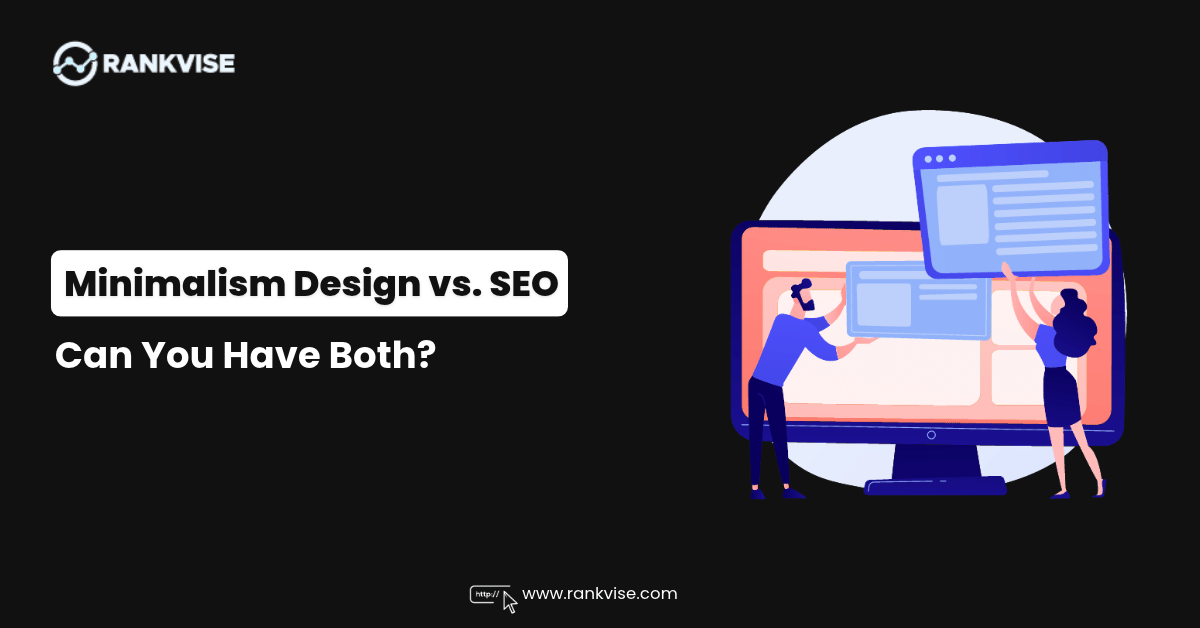
You love a clean website. White space, bold type, one strong image, and almost nothing else.
Then your SEO consultant asks for more text, more headings, and more links. Suddenly it feels like beauty and rankings are on opposite teams.
They are not. Minimalist website design and SEO can work together when you plan for both from day one.
This guide shows you how. You will learn where minimalism helps rankings, where it hurts them, and how to fix the gaps without clutter.
What Minimalist Website Design Really Means
Minimalist web design is about removing anything that does not help the visitor. It is not about removing content.
That difference matters. A minimalist site cuts noise, not information.
Most minimalist sites share a few traits:
- Plenty of white space around text and images
- A limited colour palette and one or two fonts
- Simple navigation with few menu items
- One clear action per page
- Large, high-quality visuals instead of many small ones
None of these traits harm search rankings. The trouble starts when designers also remove the words, structure, and signals that search engines need.
Why Minimalism and SEO Seem to Clash
Search engines cannot see your design. They read your code and your text.
A beautiful page with 80 words and one big image gives Google very little to work with. It has no context, no topic signals, and no reason to rank above a competitor.
Here are the most common conflicts:
- Designers want short copy. SEO needs enough depth to answer the search query.
- Designers hide menus behind icons. Search engines and users need clear paths to pages.
- Designers use images with text baked in. Google cannot read that text.
- Designers want fewer pages. SEO often needs one page per service or topic.
Each conflict has a fix. None of them forces you to give up your style.
Where Minimalism Actually Helps Your Rankings
Before we fix the problems, let us credit the wins. Clean design supports several ranking factors directly.
Faster Page Speed
Fewer scripts, fewer widgets, and lighter pages load faster. Speed is part of Google’s Core Web Vitals.
A minimalist site often passes these tests with less effort than a busy one. That gives you a real head start.
Better Mobile Experience
Simple layouts adapt easily to small screens. A mobile-friendly website matters because Google primarily uses the mobile version of your page for indexing.
Busy designs with sliders, pop-ups, and wide tables often break on phones. Clean ones rarely do.
Lower Bounce Rates
Visitors find what they need quickly when the page is not crowded. They stay longer and click further.
Google does not publish bounce rate as a ranking factor. Still, happy visitors send strong signals through engagement, return visits, and conversions.
Clearer User Journeys
A simple page makes the next step obvious. That improves website user experience, and good experience supports long-term SEO growth.
Where Minimalism Hurts SEO
Now the hard part. These are the mistakes we see most often on stylish sites that struggle to rank.
Thin Content
Thin content means pages with too little useful information. A homepage with a headline and a button is a typical example.
Google wants to understand what your page is about. If you give it 60 words, it has to guess.
Missing Headings
Many designers pick heading styles for looks, not structure. They may use a large paragraph instead of an H1.
Headings tell search engines how your content is organised. Skipping them removes a key on-page SEO signal.
Hidden Navigation
A hamburger menu on desktop hides your key pages. Users may skip it. Search engines still crawl it, but internal links in visible content carry more weight.
Images Without Alt Text
Minimalist sites lean on big visuals. If those images have no alt text or descriptive file names, you lose context and accessibility.
Too Few Pages
One-page websites look elegant. They also compete for one keyword set. A business offering five services needs more than one URL to rank for them.
Minimalist Design vs. SEO: A Quick Comparison
| Design Choice | Risk to SEO | SEO-Friendly Fix |
|---|---|---|
| Very short page copy | Thin content, weak relevance | Add 300–600 words of useful text per page |
| Stylised headings | Broken page structure | Use real H1, H2, and H3 tags, then style them with CSS |
| Icon-only menu | Poor discoverability | Use a clear text menu on desktop |
| Text inside images | Google cannot read it | Use real HTML text and add alt text |
| One-page site | Limited keyword coverage | Create separate pages for each service |
| Full-screen hero video | Slow load time | Use a compressed image or lazy-loaded video |
How to Build a Minimalist Site That Ranks
You do not need to pick a side. Use the steps below to protect your design and your visibility.
Start With Keyword Research, Not a Mockup
Know what your customers search before you design a single page. Each page should target one main topic.
Then give the designer a content outline. This keeps the layout flexible enough for real copy.
Write Fewer Words, but Make Them Count
Minimalism does not ban text. It asks for focused text.
Answer the visitor’s question in the first screen. Then add depth below the fold for people who want it.
Break long copy into short paragraphs. Use subheadings, lists, and tables so the page stays easy to scan.
Use Accordions and Tabs Carefully
Collapsible sections keep a page tidy. Google can crawl content inside them when it loads in the page source.
Use them for FAQs and supporting details. Do not hide your core message there.
Keep Your Code Clean
Beautiful design should sit on tidy code. Choose a lightweight theme or custom build.
Avoid heavy page builders that add layers of scripts. Compress images, use modern formats like WebP, and limit font files.
Plan Your URL and Page Structure
Map your site before you build it. Group related pages and link them logically.
A simple structure might look like this:
- Homepage
- Service pages (one per service)
- About page
- Case studies or portfolio
- Blog or resource hub
- Contact page
This keeps the menu short while giving search engines plenty of pages to rank.
Use White Space and Internal Links Together
White space helps readers rest their eyes. Internal links help them keep moving.
Add links inside your body copy to related pages. Use descriptive anchor text, not “click here.”
This spreads authority across your site. It also helps Google find your deeper pages.
Local Search Matters for Minimalist Brands
Many stylish brands are local businesses: studios, clinics, boutiques, and agencies. If that is you, design alone will not bring in customers.
You need location signals on your site. Add your city to key headings, include a clear address, and embed a map. Keep your business details consistent everywhere online.
Competition in big cities is intense. If you want to rank on the first page in Toronto, you need local content, strong citations, and a site that loads fast on mobile. A clean design supports all three when it is built with search in mind.
Do not forget your Google Business Profile. Add photos, services, and fresh posts. Ask happy clients for reviews and reply to each one.
Technical SEO Checklist for Clean Websites
Run through this list before you launch. It protects your rankings without touching your look.
- One H1 per page that includes the main keyword
- Title tags under 60 characters
- Meta descriptions between 130 and 140 characters
- Descriptive alt text on every meaningful image
- Compressed images under 200 KB where possible
- XML sitemap submitted in Google Search Console
- Mobile layout tested on real devices
- Schema markup for your business, services, and FAQs
- HTTPS enabled across the whole site
- No broken links or redirect chains
Real-World Example: A Studio Website Redesign
Picture a design studio with a stunning one-page site. It has a full-screen video, a tagline, and a contact button. It wins awards but gets almost no organic leads.
The fix does not require a redesign. The studio keeps the same look and adds five service pages with 400 words each. It replaces the video with a light image and turns the tagline into a real H1.
It also adds alt text, internal links, and a short FAQ on each page. Within a few months, impressions and enquiries rise because Google finally understands what the studio offers.
The design stays minimal. The site just becomes readable to search engines.
Content Formats That Keep Pages Clean and Rich
You can add depth without crowding the page. Choose formats that stay tidy.
- Short FAQ sections that answer real questions
- Comparison tables for services or pricing
- Pull quotes from client testimonials
- Step-by-step process blocks with icons
- Case study summaries with a clear result
These formats suit AI search tools too. Clear, structured answers are easier for Google’s AI features and large language models to quote.
Common Mistakes to Avoid
Watch out for these traps when you balance style and search.
- Choosing a template before checking its code quality
- Using decorative fonts that slow loading
- Skipping blog or resource content entirely
- Hiding contact details to keep things “clean”
- Launching without a redirect plan after a redesign
- Treating SEO as a post-launch task
The last one costs the most. Retrofitting SEO into a finished design takes more time and money than planning for it.
When to Bring in an SEO Expert
Bring in an expert at the wireframe stage, not after launch. They can flag issues before they become expensive.
A good SEO partner will respect your brand. They should offer ways to add content and structure without breaking your style.
Final Thoughts
Minimalism and SEO are not rivals. Both aim to give visitors the clearest possible answer.
Keep your clean layout, generous white space, and bold visuals. Then add real headings, focused copy, fast code, and smart internal links.
That is how you get a website that looks great and earns its place in search results.
FAQs
Is minimalist web design bad for SEO?
No. Minimalist design is fine for SEO when pages still contain useful text, proper headings, and fast-loading code.
How much content does a minimalist page need?
Most pages need at least 300 words. Add more when the topic is complex or competitive.
Does white space affect Google rankings?
White space does not directly affect rankings. It improves readability, which supports engagement and user experience.
Can a one-page website rank well?
It can rank for a narrow set of terms. Businesses with several services usually need separate pages.
What is the best way to keep a clean design and add SEO content?
Use short paragraphs, accordions, tables, and FAQ blocks. These add depth without cluttering the layout.