Skip to content
PDF files are widely used for contracts, reports, forms, and other documents that need to maintain consistent formatting across devices. Modern PDF editing platforms allow users to modify documents directly in their browser without installing software. These tools make it easier to edit files, manage documents, and collaborate with others.
- Tools were chosen for ease of use, editing power, cross-device compatibility, and overall reliability for everyday document workflows.
- Core features include editing text and images, annotations, fillable forms, digital signatures, format conversion, OCR, and page reorganization.
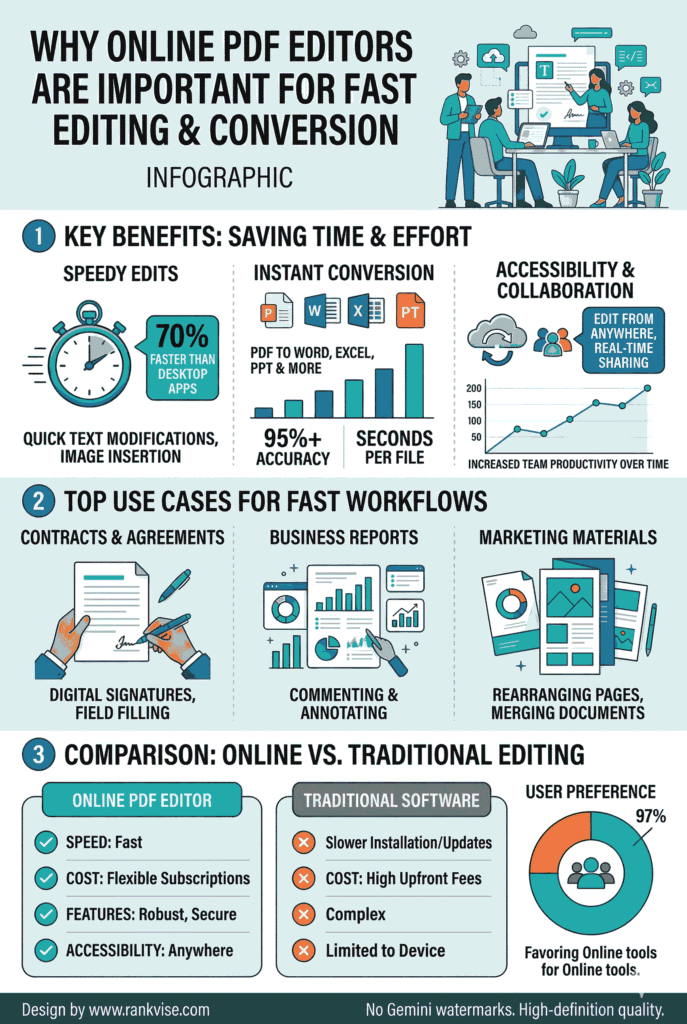
- Many editors offer real-time collaboration and cloud integrations like Google Drive and Dropbox for seamless team editing across devices.
- Free tiers exist but often impose size or daily usage limits; advanced features and expanded storage require paid subscriptions.
- Choose a PDF editor based on editing frequency and workflow needs, balancing simplicity, security, and required advanced tools.
The tools listed below were selected based on ease of use, editing capabilities, compatibility across devices, and overall reliability for everyday document workflows.
1. Lumin
Lumin is a cloud-based PDF editor designed for fast document editing and collaboration. It allows users to modify PDFs directly in the browser while keeping documents organized in cloud storage.
Because Lumin integrates with services like Google Drive and Dropbox, users can access and edit documents from virtually any device.
Key Features
- Edit text and annotations directly within PDF documents
- Create and complete fillable PDF forms
- Highlight text, add comments, and draw shapes
- Rearrange or organize PDF pages online
- Real-time collaboration for team document review
- Integration with Google Drive and Dropbox
Pros and Cons
Pros
- Clean and easy-to-navigate interface
- Strong collaboration tools for teams
- Works directly in the browser without downloads
Cons
- Some advanced features are available in paid plans
Pricing
Lumin offers a free plan with core editing features. Paid plans include expanded storage, advanced editing tools, and additional collaboration features.
2. Smallpdf
Smallpdf is a popular platform that provides a collection of browser-based PDF tools. It allows users to edit documents, convert files, compress PDFs, and complete forms quickly.
Key Features
- Edit text and images within PDF files
- Convert documents between PDF, Word, and other formats
- Add signatures and annotations
- Compress and manage PDF documents
- Works across desktop and mobile browsers
Pros and Cons
Pros
- Simple and intuitive interface
- Wide range of document tools
- Fast processing for common editing tasks
Cons
- Free plan includes usage limits
Pricing
Smallpdf offers a limited free version along with paid subscriptions that unlock unlimited access to its editing tools.
3. PDFelement
PDFelement is a comprehensive PDF editing platform designed for users who need more advanced document tools. It supports editing, conversion, form creation, and document organization.
Key Features
- Edit text, images, and document layouts
- Create and edit editable PDF forms
- Convert files between multiple formats
- Add digital signatures to documents
- OCR support for scanned documents
Pros and Cons
Pros
- Wide range of editing features
- Clean interface for document management
Cons
- Full functionality requires a paid license
Pricing
PDFelement offers free trials along with paid plans that provide access to its complete set of editing and conversion tools.
4. Nitro PDF Pro
Nitro PDF Pro is a document management platform used by many organizations for editing and managing PDFs. It focuses on productivity features and efficient document workflows.
Key Features
- Edit text and images within PDF documents
- Create and manage digital signatures
- Convert PDFs to Word, Excel, and PowerPoint
- Batch processing for document workflows
- Form creation and editing tools
Pros and Cons
Pros
- Strong editing capabilities
- Useful features for business document workflows
Cons
- Desktop installation required for full functionality
Pricing
Nitro PDF Pro offers paid licensing options with additional enterprise features for teams and organizations.
5. Foxit PhantomPDF
Foxit PhantomPDF is a professional-grade PDF editing platform designed for businesses that need advanced document management tools.
Key Features
- Edit text, images, and page layouts
- Add annotations and comments
- Secure document sharing and permissions
- Create and manage digital signatures
- Integration with productivity tools
Pros and Cons
Pros
- Advanced editing and security features
- Suitable for professional workflows
Cons
- The interface may require time to learn
Pricing
Foxit PhantomPDF offers multiple subscription plans for individuals, teams, and enterprise users.
6. PDFescape
PDFescape is a browser-based PDF editor that allows users to edit documents directly online. It is particularly useful for quick edits and form completion.
Key Features
- Edit text and annotations in PDF files
- Fill out and create fillable PDF forms
- Add shapes, highlights, and comments
- Upload and modify documents directly in the browser
Pros and Cons
Pros
- No installation required
- Simple workflow for editing documents
Cons
- Free version includes file size limits
Pricing
PDFescape offers a free web version and paid desktop plans with additional editing capabilities.
7. Sejda PDF Editor
Sejda PDF Editor is a flexible document platform that supports both online and desktop editing. It includes tools for editing text, reorganizing pages, and completing forms.
Key Features
- Edit text, images, and annotations
- Merge or split PDF documents
- Fill and sign PDF forms
- Rearrange PDF pages online
- Works as both a browser-based and a desktop tool
Pros and Cons
Pros
- Clean and organized interface
- Useful editing and document management features
Cons
- Free plan includes daily usage limits
Pricing
Sejda offers a free version with limited daily tasks and paid plans for users who need higher processing limits.
Final Thoughts
PDF editing platforms help simplify everyday document workflows. Whether you need to update text, complete forms, or reorganize pages, the right PDF editor allows you to make changes quickly without altering the original structure of the document.
Choosing the right platform depends on how frequently you work with PDFs and the types of editing tools you need. By selecting a reliable editor, you can manage documents more efficiently and keep your files organized.