Skip to content
Email drives modern business. It also attracts the most dangerous cyber threats. Industry reports estimate that over 45% of all emails sent worldwide qualify as spam. Phishing attacks alone cost organizations an average of 4.76 million USD per breach, according to IBM’s Cost of a Data Breach report.
An intelligent message filter serves as your first checkpoint against this flood of junk and malicious content. Originally built by Microsoft for Exchange Server, it scans every inbound message, assigns a risk score, and takes action before the email ever touches a user’s inbox.
Whether you run an on-premises Exchange environment or manage a hybrid infrastructure, understanding this filter gives you a meaningful advantage in email spam protection.
What Is an Intelligent Message Filter?
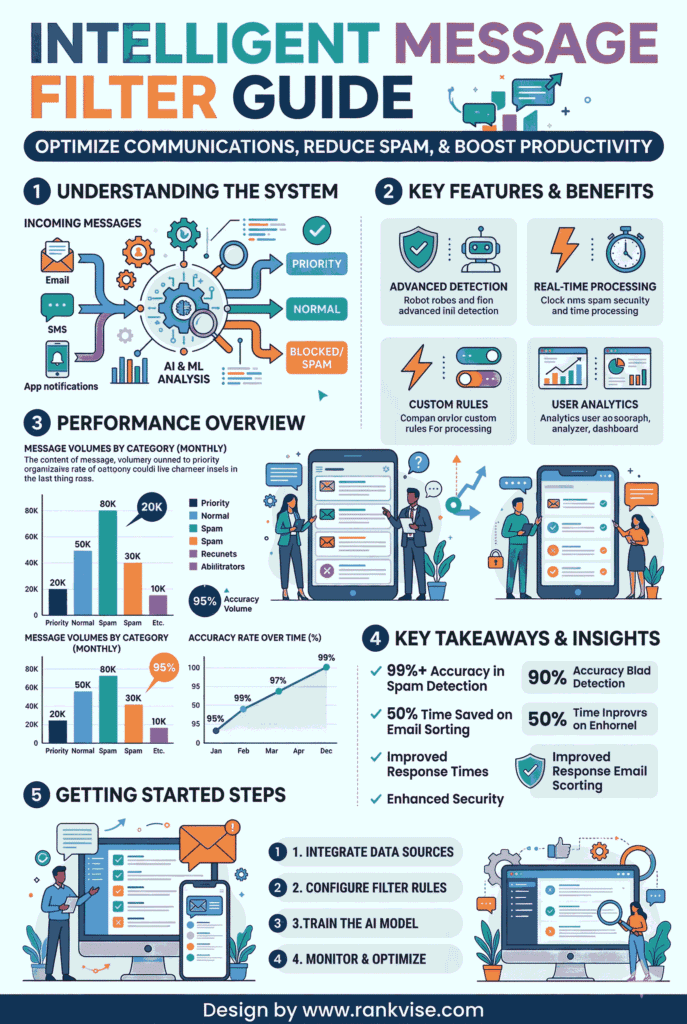
The intelligent message filter is Microsoft’s built-in anti-spam filtering technology for Exchange Server. Microsoft introduced it with Exchange Server 2003 to replace manual and third-party spam management approaches.
At its core, the filter evaluates every incoming email using content analysis, header inspection, and pattern recognition. It then assigns each message a spam confidence level score — a numerical rating that determines what happens next. Low-scoring emails pass through to the inbox. High-scoring emails get quarantined, redirected, or deleted.
Think of it as a security guard stationed at the front gate of your email infrastructure. It checks credentials, evaluates intent, and only lets trusted messages through.
How the Intelligent Message Filter Works
The filtering process follows a structured, multi-step workflow. Each stage adds a layer of scrutiny before any message reaches the end user.
Here is the step-by-step breakdown:
- An inbound email arrives at the Exchange Server transport pipeline.
- The filter inspects the subject line, body content, embedded links, and message headers.
- It cross-references patterns against known spam indicators, such as suspicious domains, misleading phrases, and abnormal formatting.
- Based on the analysis, it assigns a spam confidence level score ranging from 0 (completely safe) to 9 (almost certainly spam).
- The server then routes the message according to administrator-defined thresholds.
Understanding the Spam Confidence Level Scale
The spam confidence level is the backbone of how the intelligent message filter makes decisions. The table below summarizes how typical thresholds map to actions:
| SCL Score | Risk Level | Default Action |
|---|---|---|
| 0 – 3 | Low | Delivered to inbox |
| 4 – 5 | Moderate | Routed to junk email folder |
| 6 – 7 | High | Quarantined for admin review |
| 8 – 9 | Critical | Rejected or permanently deleted |
Administrators can adjust these thresholds to match organizational risk tolerance. A financial services firm, for example, might apply stricter rules than a marketing agency that receives high volumes of external correspondence.
Why Businesses Still Rely on the Intelligent Message Filter in 2026
Cloud-based email security platforms have grown rapidly. Yet the intelligent message filter remains a trusted tool for thousands of organizations. Three factors explain its staying power.
Granular administrator control. Unlike cloud filters that apply broad, one-size-fits-all policies, the intelligent message filter lets IT teams fine-tune every threshold, safelist, and blocklist to fit specific business needs.
Minimal performance overhead. The filter runs natively within Exchange Server’s transport pipeline. It consumes very few additional resources and does not require separate hardware or licensing.
Regulatory and compliance flexibility. Organizations bound by strict data sovereignty or industry regulations often prefer on-premises email filtering. The intelligent message filter allows full control over where email data is processed and stored — a critical requirement for healthcare, finance, and government sectors.
Intelligent Message Filter Across Exchange Server Versions
Microsoft has refined the filter with each major Exchange release. The table below highlights how it has evolved:
| Exchange Version | Key Improvements |
|---|---|
| Exchange 2003 | Introduced content-based filtering and SCL scoring for the first time |
| Exchange 2007 | Deeper integration with transport agents and improved sender reputation checks |
| Exchange 2010 | Enhanced detection algorithms with better handling of bulk email and instant message-style spam |
| Exchange 2013/2016 | Compatibility with SPF, DKIM, and DMARC authentication protocols; tighter transport pipeline integration for high-volume environments |
Each version addressed new threat vectors while preserving backward compatibility. Even organizations running older Exchange environments benefit from the foundational anti-spam architecture the intelligent message filter provides.
Key Features That Set the Intelligent Message Filter Apart
Several capabilities distinguish this filter from basic spam-blocking tools.
- Spam confidence level scoring assigns a precise risk rating to every message, enabling nuanced routing decisions rather than simple allow-or-block logic.
- Customizable thresholds let administrators define separate actions for junk routing, quarantine, and outright deletion based on organizational needs.
- Safe sender and blocked sender lists reduce false positives by ensuring trusted contacts always reach the inbox and known bad actors never do.
- Outlook junk email integration synchronizes server-side filtering with client-side preferences, so scoring remains consistent across the entire email workflow.
- Adaptive pattern learning helps the filter improve over time by recognizing emerging spam techniques, bulk email campaigns, and evolving phishing tactics.
These features combine to create a flexible, layered email filtering system that adapts to diverse business environments.
How to Get the Most from Your Intelligent Message Filter
Deploying the filter is only the starting point. Following proven email filtering best practices dramatically improves its effectiveness.
Tune your SCL thresholds based on real data. Run the filter at default settings for two to three weeks. Review spam catch rates and false positive reports. Then adjust thresholds to match the patterns you observe.
Maintain your safe sender lists proactively. Add trusted partners, vendors, and internal domains to the safelist before users report missing emails. This prevents disruption to critical business communications.
Keep Exchange definitions current. Microsoft periodically releases updated filter definitions. Applying these promptly ensures the intelligent message filter recognizes the latest spam signatures and threat patterns.
Pair it with complementary security layers. No single filter catches everything. Combine the intelligent message filter with antivirus scanning, anti-malware tools, and email authentication protocols like SPF, DKIM, and DMARC for comprehensive phishing email prevention.
Train your users. Even the best anti-spam filtering technology occasionally misses a threat. Educate employees to recognize suspicious messages and report them. Human awareness remains the last and strongest line of defense.
Intelligent Message Filter vs. Cloud-Based Email Security
Many administrators wonder whether they still need the intelligent message filter if they already use Microsoft Defender for Office 365 or Exchange Online Protection. The answer depends on your infrastructure.
| Criteria | Intelligent Message Filter | Cloud-Based Filtering (EOP / Defender) |
|---|---|---|
| Deployment | On-premises Exchange Server | Microsoft 365 / Exchange Online |
| Customization | Highly granular, admin-controlled | Broad, policy-based rules |
| Data residency | Full on-premises control | Cloud-hosted by Microsoft |
| Threat intelligence | Local pattern recognition | Global, real-time threat feeds |
| Best suited for | On-prem and hybrid environments | Fully cloud-native organizations |
The two approaches are not mutually exclusive. Many organizations deploy both for layered protection. The intelligent message filter handles initial screening at the server level, while cloud-based tools provide global threat intelligence and advanced analysis.
Common Misconceptions About the Intelligent Message Filter
A few myths continue to circulate about this technology. Let’s address them directly.
“It’s obsolete technology.” Microsoft introduced the filter in 2003, but it has received meaningful updates with every Exchange release. It supports modern authentication protocols and handles contemporary spam techniques effectively.
“It blocks too many legitimate emails.” False positives can occur with any filtering system. The intelligent message filter mitigates this through adjustable thresholds and comprehensive safe sender lists. Administrators who actively manage these settings report minimal disruption.
“It replaces the need for other security tools.” The filter excels at first-line spam blocking. However, it works best alongside antivirus software, advanced threat protection, and user security awareness training. A single-layer approach leaves gaps that attackers will exploit.
The Future of Intelligent Message Filtering
Microsoft’s product roadmap increasingly emphasizes cloud-first solutions. Still, the intelligent message filter retains a clear role in three scenarios: on-premises Exchange deployments, hybrid cloud architectures, and organizations with specialized compliance requirements.
Looking ahead, future iterations may integrate machine learning directly into the filter engine. This would enable real-time adaptation to emerging spam patterns without waiting for definition updates. AI-driven scoring could also reduce false positive rates by learning each organization’s unique email traffic patterns.
For now, the intelligent message filter remains a proven, practical tool. It delivers reliable Microsoft Exchange email security for businesses that need local control, low overhead, and customizable protection.
FAQs
It scans every incoming email, assigns a spam confidence level score, and routes messages to the inbox, junk folder, or quarantine based on administrator-defined thresholds.
It is designed for on-premises Exchange Server environments. Microsoft 365 users rely on Exchange Online Protection and Microsoft Defender for Office 365, which use similar but cloud-native filtering techniques.
Add trusted senders to the safe sender list, fine-tune SCL thresholds based on observed spam patterns, and regularly review quarantined messages to catch misclassified emails.
It blocks many phishing emails through content analysis and pattern recognition. For comprehensive phishing email prevention, pair it with email authentication protocols like SPF, DKIM, and DMARC.
Yes. Layering the intelligent message filter with cloud-based solutions creates a defense-in-depth strategy that covers both local and global threat vectors for maximum email spam protection.