Skip to content
Your church is a hub of activity. It’s where people gather, connect, and grow together. But what happens between Sundays? A great website acts as your church’s digital campus, a place where your community can find information, stay engaged, and feel connected all week long.
- Make the homepage welcoming with clear service times, location, and a "New Here?" button to guide first-time visitors.
- Provide an events calendar that displays all activities, collects RSVPs, shares details, and syncs with personal calendars.
- Offer on-demand sermons, easy online giving with secure recurring options, and clear contact info with an embedded map.
Building a site from scratch might sound like a huge project, but it’s simpler than you think. With modern church website builder, you don’t need to be a tech wizard to create something amazing. These platforms bundle everything you need in one place, so you can focus on your message, not on complicated code.
Think of your website as a collection of helpful tools that serve your congregation. This guide will walk you through the essential features and widgets you should add to create a site that truly supports your ministry. Let’s build something that brings your community closer.
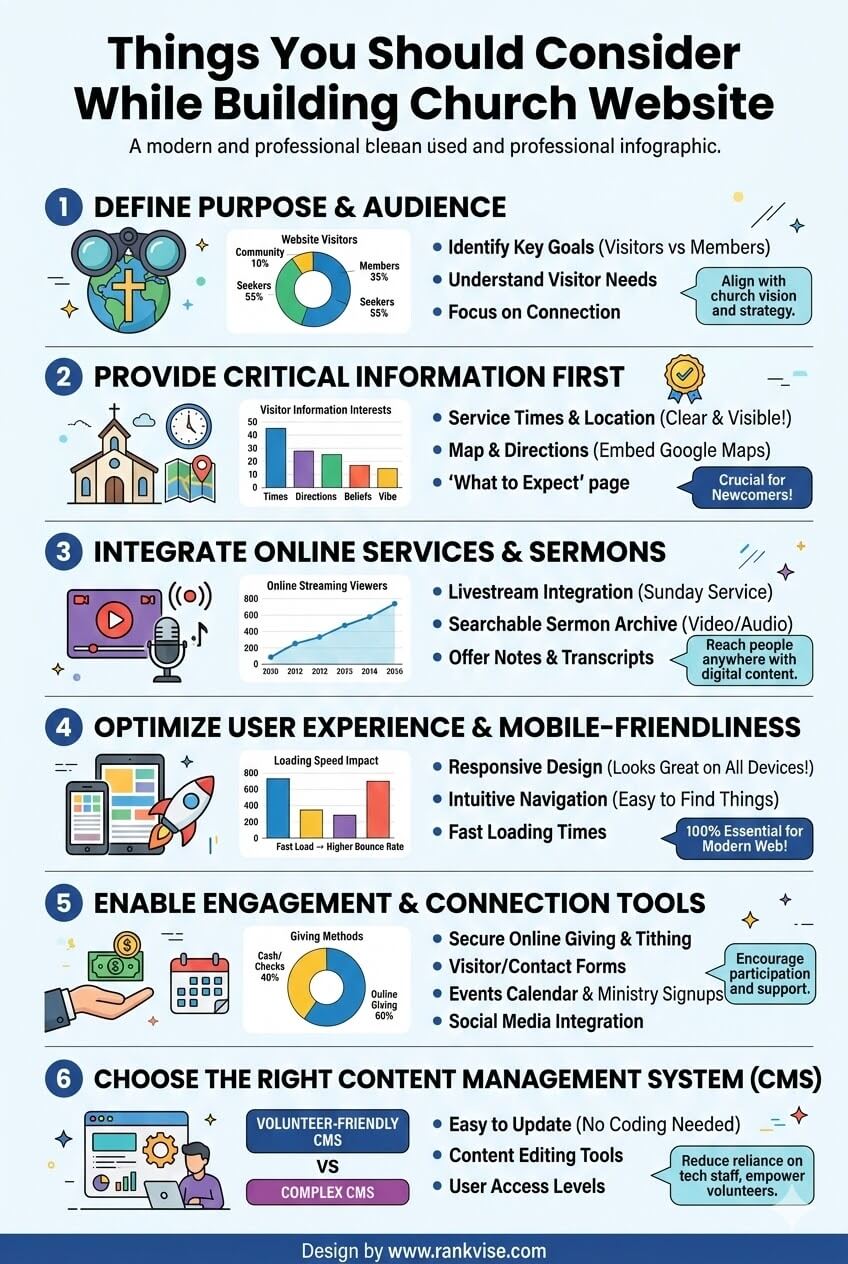
1. Homepage: Your Digital Welcome Mat
Your homepage is the first thing people see, so it needs to be warm and welcoming. It should quickly answer the most important questions a new visitor might have: Who are you? When and where do you meet? What do you believe?
A good homepage should include:
- A Clear Welcome Message: A short, heartfelt message that introduces your church and its mission.
- Service Times and Location: Make this information impossible to miss. Put it right at the top so visitors can find it instantly.
- A High-Quality Photo or Video: A picture of your smiling congregation or a short welcome video makes your church feel real and approachable.
- A “New Here?” Button: Create a dedicated page for first-time visitors that tells them what to expect on a Sunday morning.
2. About Us Page: Share Your Story
People connect with stories, not just organizations. Your “About Us” section is a chance to share the heart behind your church. This is where you can go deeper than the homepage welcome.
Include these key elements:
- Your Mission and Vision: What is your church passionate about? What are your core values?
- Statement of Faith: Clearly outline what you believe. This helps visitors understand your theological foundation and see if your church is a good fit for them.
- Meet the Team: Add photos and short bios for your pastors and key staff members. Putting faces to names makes your leadership team feel more accessible.
3. Events Calendar: The Hub of Activity
Your church is busy. Between Sunday services, bible studies, youth group, and community outreach, there’s a lot to keep track of. An online events calendar is the single best tool for keeping everyone in the loop.
A great calendar widget lets you:
- Display All Events in One Place: Show everything in a clear monthly, weekly, or list view.
- Collect RSVPs: See who’s coming to your next potluck or volunteer day.
- Share Event Details: Include maps, descriptions, and contact information for each event.
- Sync with Personal Calendars: Allow congregants to add church events to their Google Calendar or iCal with a single click.
Using a web builder with a built-in events app makes this incredibly simple. You can create an event once, and it will automatically appear on the calendar, ready for your community to see.
4. Sermons and Media: Your Message, On-Demand
Not everyone can make it to church every Sunday. Life gets busy, people get sick, and some may want to explore your teaching before visiting. A sermon library is a powerful outreach tool that keeps your message accessible 24/7.
Look for a builder that lets you:
- Upload Audio and Video: Easily add your weekly sermon recordings.
- Organize by Series or Topic: Create channels so users can browse messages by a specific book of the Bible or sermon series.
- Include Notes and Transcripts: Add downloadable sermon notes or full transcripts to help people study the message more deeply.
This feature turns your website into a valuable resource, allowing your congregation and new visitors to engage with your teaching anytime, anywhere.
5. Online Giving: Supporting the Mission
Consistent giving is what fuels your ministry. Making it easy and convenient for people to donate online is one of the most practical features you can add to your site. Forget passing the plate; people are used to managing their finances online.
A good donation tool should offer:
- Secure Payment Processing: Ensure that all transactions are safe and encrypted.
- Recurring Giving Options: Allow members to set up automatic, recurring tithes. This provides a stable source of income for your church.
- Multiple Payment Methods: Accept donations via credit/debit cards and other popular payment gateways.
- Clear “Donate” Buttons: Place a visible donation button in your site’s header and footer so it’s always easy to find.
All-in-one website builders handle the technical side of this for you, so you can focus on stewarding those gifts well.
6. Contact and Directions: Make it Easy to Connect
You want new people to visit your church, so don’t make them work to find you. A dedicated contact page is essential.
Your contact page must have:
- Your Physical Address: This seems obvious, but make sure it’s correct and easy to copy.
- An Embedded Map: A Google Maps widget that shows your location is incredibly helpful. It allows visitors to get directions right from your website without opening another app.
- Phone Number and Email: Provide clear contact information for the church office.
- A Simple Contact Form: A form where people can send questions directly to your team is a great way to open the lines of communication.
7. Small Groups or Ministries Page
Community happens in circles, not just rows. If your church has small groups, ministries, or classes, create a section where people can learn about them and get involved.
For each group, you can include:
- A brief description of the group’s focus (e.g., Men’s Ministry, Young Adults, etc.).
- Information on when and where they meet.
- Contact information for the group leader.
This helps people find their place within the larger church body and take the next step in their journey of faith.
8. Photo and Video Galleries: Show, Don’t Just Tell
Want to show people that your church is a vibrant, active community? A photo gallery is the perfect way to do it. Share pictures from your latest service, community picnic, or youth retreat. It gives visitors a real sense of your church’s personality.
A video gallery can also be powerful. You can share testimonies, event highlight reels, or special music performances. Visuals create an emotional connection that words alone cannot.
Building is Simpler Than You Think
Creating a website that serves your church doesn’t require a degree in computer science. By using an all-in-one builder, you get access to all these features and widgets in one easy-to-manage dashboard. You can drag and drop a calendar, add a video player, and set up a donation form in just a few clicks.
Start by outlining the features your community needs most. Then, choose a platform that makes it simple to bring that vision to life. Your website is more than just a digital bulletin; it’s a space for ministry to happen. Build it well, and it will be a blessing to your community for years to come.
FAQ
Your church website should include several key features to effectively serve your community. These include a welcoming homepage with a clear message about your church, an ‘About Us’ page that shares your mission and vision, an events calendar to keep everyone informed, a sermon library for accessing teachings on demand, an online giving option for donations, a contact page with your physical address and contact information, a small groups or ministries page to promote community involvement, and photo and video galleries to showcase church activities.
To make your church homepage inviting, start with a heartfelt welcome message that introduces your church and its mission. Include essential information such as service times, location, and a high-quality photo or video that showcases your congregation. Additionally, add a ‘New Here?’ button that links to a dedicated page for first-time visitors, detailing what they can expect on a Sunday morning.
An events calendar is crucial for a church website as it serves as the hub of activity, allowing congregants to keep track of various events like services, bible studies, and community outreach initiatives. It should display all events in a clear format, allow for RSVPs, share detailed event information, and offer the ability to sync with personal calendars, ensuring everyone stays informed and engaged with church activities.
To make online giving easy, incorporate a secure donation tool on your church website that provides safe payment processing. It should allow for recurring giving options, accept multiple payment methods, and have clear ‘Donate’ buttons placed prominently on the site. This convenience encourages members to manage their contributions online, supporting your church’s mission.
A sermon library on your church website offers numerous benefits, including making your teachings accessible to those who cannot attend services in person. This feature allows users to listen to or watch sermons at their convenience, organize content by topic or series for easier navigation, and include sermon notes or transcripts for deeper study. It serves as an invaluable resource for both current members and potential visitors.