A stolen employee password can expose far more than one inbox. Depending on the account’s permissions, an attacker could access customer records, financial systems, cloud applications, or administrative controls.
Businesses therefore need to consider two related questions: How should passwords be protected, and what happens if someone steals one?
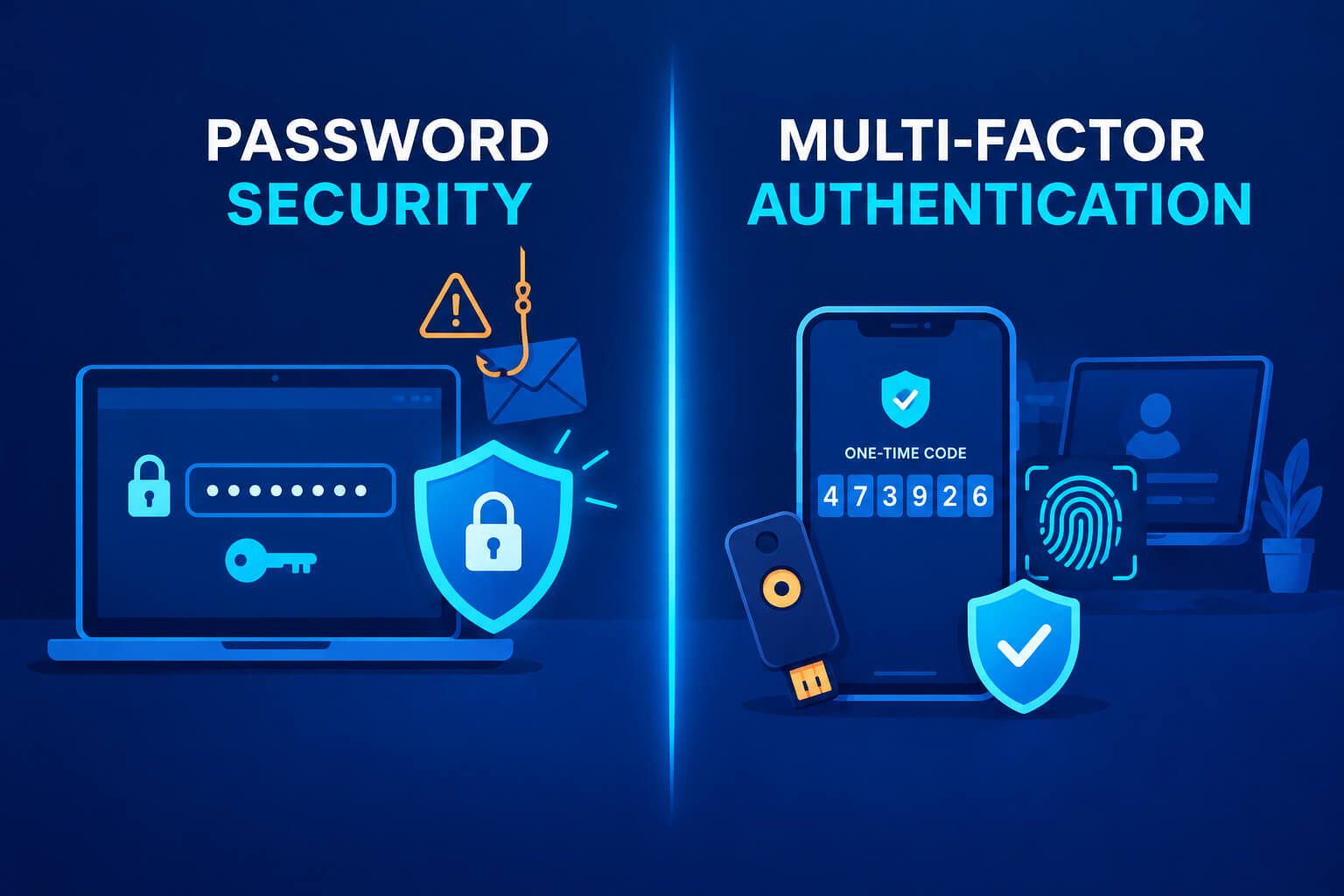
Password security helps prevent credentials from being guessed, reused, or exposed. Multi-factor authentication, commonly called MFA, adds another requirement before granting access. Businesses generally need both wherever passwords remain part of the login process.
This guide explains their differences, the limitations of each approach, and how to build a practical authentication strategy.
What Is Password Security?
Password security covers how passwords are created, stored, used, and protected throughout their lifecycle.
For employees, it means using long, unique passwords and keeping them in a trusted password manager. For businesses, it also means blocking compromised credentials, limiting repeated login attempts, and securing password-reset processes.
Application developers have additional responsibilities. Passwords should be stored using appropriate salted password-hashing methods rather than plaintext or reversible encryption.
NIST’s authentication guidance emphasizes password length, compromised-password screening, and protections against repeated guessing. It also advises against arbitrary composition requirements and routine password changes without evidence of compromise.
Why Strong Passwords Still Matter
A unique password prevents a breach at one service from automatically exposing another account. Longer, unpredictable passwords also make guessing harder.
However, a strong password can still be stolen through phishing, malware, or an insecure recovery process. Password strength does not prevent someone from entering that password into a convincing fake login page.
This is the central limitation of password-only authentication: possession of the correct credential can be enough to gain access.
What Is Multi-Factor Authentication?
Multi-factor authentication requires proof from more than one authentication category:
- Something you know: A password or PIN.
- Something you have: A security key, registered device, or authenticator.
- Something you are: A biometric characteristic used by a supported authenticator.
Entering a password followed by a security question does not constitute MFA. Both are knowledge-based checks.
A password followed by a code from an authenticator app combines knowledge and possession. A properly configured security key or passkey can also provide multi-factor authentication when possession of the authenticator is combined with local verification, such as a PIN or biometric.
Why MFA Helps Businesses
MFA reduces reliance on a password as the sole gatekeeper. If an attacker steals a password, another authentication requirement can prevent immediate access.
Its effectiveness depends on the method and implementation. SMS codes, authenticator codes, push approvals, and phishing-resistant security keys offer different levels of protection.
Businesses should therefore evaluate the specific authentication method rather than treating every “MFA enabled” setting as equivalent.
Password Security vs. Multi-Factor Authentication: Key Differences
| Consideration | Password security | Multi-factor authentication |
|---|---|---|
| Main purpose | Protect the password and reduce credential exposure | Require additional evidence of identity |
| Protection against guessing | Strong passwords and login rate limits help | Adds another barrier if the password is guessed |
| Protection after password theft | Limited when the password is the only requirement | Can block access without the additional factor |
| Phishing protection | A strong password can still be phished | Depends on the method; some MFA can also be phished |
| Employee workflow | Create, store, and retrieve unique passwords | Register and use an additional authenticator |
| Recovery needs | Secure password resets | Secure resets and authenticator replacement |
The distinction is practical: password security protects a credential, while MFA strengthens the authentication process.
Neither approach replaces device security, access controls, or monitoring.
Why Password Security Alone Is Insufficient?
Credential Reuse Creates Cross-Service Risk
Employees sometimes reuse passwords across work and personal accounts. If one service exposes those credentials, attackers may try them elsewhere through credential-stuffing attacks.
A business password manager makes unique credentials easier to maintain. MFA adds another barrier if a reused password is compromised.
Phishing Bypasses Password Complexity
A password can satisfy every complexity requirement and still be handed to an attacker.
Phishing pages may imitate an organization’s email service, cloud dashboard, or payroll portal. Once employees enter their credentials, attackers can attempt to use them against the legitimate service.
Long passwords help against guessing. They do not establish that a login page is genuine.
Password Resets Can Become the Weakest Link
An account with a strong password may still be vulnerable if recovery relies on easily discovered information or an unprotected email account.
Businesses should protect recovery email accounts, control help-desk resets, and require appropriate identity verification before changing credentials.
Why MFA Alone Is Also Insufficient
MFA is a valuable control, but its presence does not guarantee account security.
Some MFA Methods Can Be Phished
An attacker can ask a user to enter a one-time code into a fake website and relay it to the real service. Certain adversary-in-the-middle attacks can also capture authenticated sessions.
NIST distinguishes phishing-resistant authentication from methods that rely on users manually entering authentication outputs. One-time codes do not provide the same phishing resistance as appropriately implemented cryptographic authentication.
Push Approvals Can Be Manipulated
Repeated approval requests can pressure employees into accepting a login they did not initiate.
Number matching and clearer sign-in context can reduce accidental approvals, but businesses should avoid teaching employees to approve unexpected prompts. Suspicious requests should be denied and reported.
Recovery Can Bypass Strong Authentication
An organization may deploy security keys yet allow the help desk to remove MFA after a weak identity check.
That undermines the original control. Enrollment, replacement, and recovery procedures need protection comparable to the login process itself.
Stolen Sessions Can Remain Dangerous
Attackers may target session cookies or tokens after authentication has occurred. In those situations, repeating MFA at the initial login does not necessarily stop misuse of an already authenticated session.
Endpoint protection, session controls, and rapid session revocation remain important.
Which MFA Method Should Businesses Choose?
SMS and Voice Codes
SMS and voice verification can provide an additional barrier beyond a password. However, they introduce risks associated with phone-number takeover, telecommunications infrastructure, and phishing.
NIST treats authentication over the public telephone network as restricted and calls for consideration of associated risks.
Where stronger options are available, businesses should generally prefer them, particularly for privileged accounts.
Authenticator-App Codes
Authenticator apps generate time-based codes without relying on text-message delivery. They can be a practical option for organizations whose applications do not support stronger authentication.
Their limitation is phishing resistance: an employee can still disclose a valid code to an attacker.
Push-Based Authentication
Push authentication can simplify employee access, particularly when integrated with an organization’s identity platform. Businesses evaluating solutions such as cisco duo should consider how the selected offering fits their applications, user needs, and broader access-security strategy.
When deploying push-based MFA, enable available protections such as number matching and meaningful sign-in details. Employees should deny and report unexpected approval requests, and the organization should establish a clear response procedure for suspicious prompts.
Security Keys and Passkeys
FIDO-based security keys and passkeys can provide phishing-resistant authentication by cryptographically binding authentication to the legitimate service.
They deserve priority consideration for administrators, executives, finance teams, and other high-risk users.
Deployment still requires planning. Businesses need to decide how authenticators are registered, which devices are permitted, and how employees recover access.
How to Build a Practical Business Authentication Strategy
1. Identify Critical Accounts
Start with accounts that control other systems or handle sensitive information:
- Email and identity administration.
- Cloud infrastructure and remote access.
- Finance, payroll, and payment systems.
- Customer-data platforms.
- Backup and recovery services.
Protecting the identity provider is especially important because it may govern access to numerous applications.
2. Improve Password Practices
Provide a managed password manager and require unique passwords where passwords remain necessary.
Use compromised-password screening where supported. Avoid rules that encourage predictable substitutions or frequent, minor password changes. NIST advises against periodic password changes unless there is evidence of compromise.
3. Require MFA Consistently
Apply MFA across relevant systems, including administrative interfaces and remote access.
Check for alternative login routes, older applications, and legacy authentication mechanisms that may bypass the intended control. A policy is only useful if the organization can enforce it.
4. Prioritize Phishing-Resistant Authentication
Deploy phishing-resistant authentication first for privileged users and high-value accounts.
Expand coverage as application support and operational readiness improve. Where stronger methods are unavailable, use the best supported alternative while documenting its limitations.
5. Secure Enrollment and Recovery
Verify identity before enrolling or replacing authenticators. Notify users when authentication settings change, and protect recovery codes as sensitive credentials.
Plan for lost devices before they occur. Emergency administrative access should be tightly controlled, monitored, and tested.
6. Monitor Authentication Activity
Review suspicious sign-ins, repeated MFA failures, unexpected authenticator registrations, and unusual session activity.
Define who investigates alerts and how compromised accounts are contained. Response procedures should include credential changes, authenticator review, and session revocation when appropriate.
Common Mistakes Businesses Should Avoid
One frequent mistake is protecting ordinary employee logins while leaving privileged or service accounts outside the security strategy. Service accounts often need different controls, such as managed identities, restricted permissions, or securely managed secrets.
Another is enabling MFA while retaining weaker fallback methods that attackers can exploit. Recovery and exception policies should be reviewed alongside the primary authentication method.
Businesses should also avoid assuming that MFA proves every login is legitimate. It is one part of a broader identity-security program.
Conclusion
Businesses should strengthen passwords wherever they remain in use and add MFA to reduce the damage a stolen credential can cause.
The most resilient approach combines unique passwords, phishing-resistant authentication, secure recovery, limited permissions, and effective monitoring. Start with the accounts whose compromise would cause the greatest harm, then expand protection across the organization.
Frequently Asked Questions
Is MFA better than a strong password?
MFA generally provides stronger protection than a password alone because it requires additional evidence of identity. Strong, unique passwords still matter wherever passwords are used.
Can businesses stop using passwords?
Some systems support passwordless authentication through passkeys or other authenticators. Businesses should evaluate application compatibility, device management, and recovery before replacing passwords.
Are passkeys always multi-factor?
No. Whether a passkey authentication meets multi-factor requirements depends on its configuration and whether an additional factor, such as local PIN or biometric verification, is required.
Does MFA prevent every account takeover?
No. Attackers may exploit phishing-prone methods, compromised devices, stolen sessions, or weak recovery processes.
What should a small business implement first?
Protect business email, administrator accounts, finance systems, and remote access. Introduce a password manager, require MFA, and prioritize phishing-resistant methods where supported.